
Project Overview:
The Product:
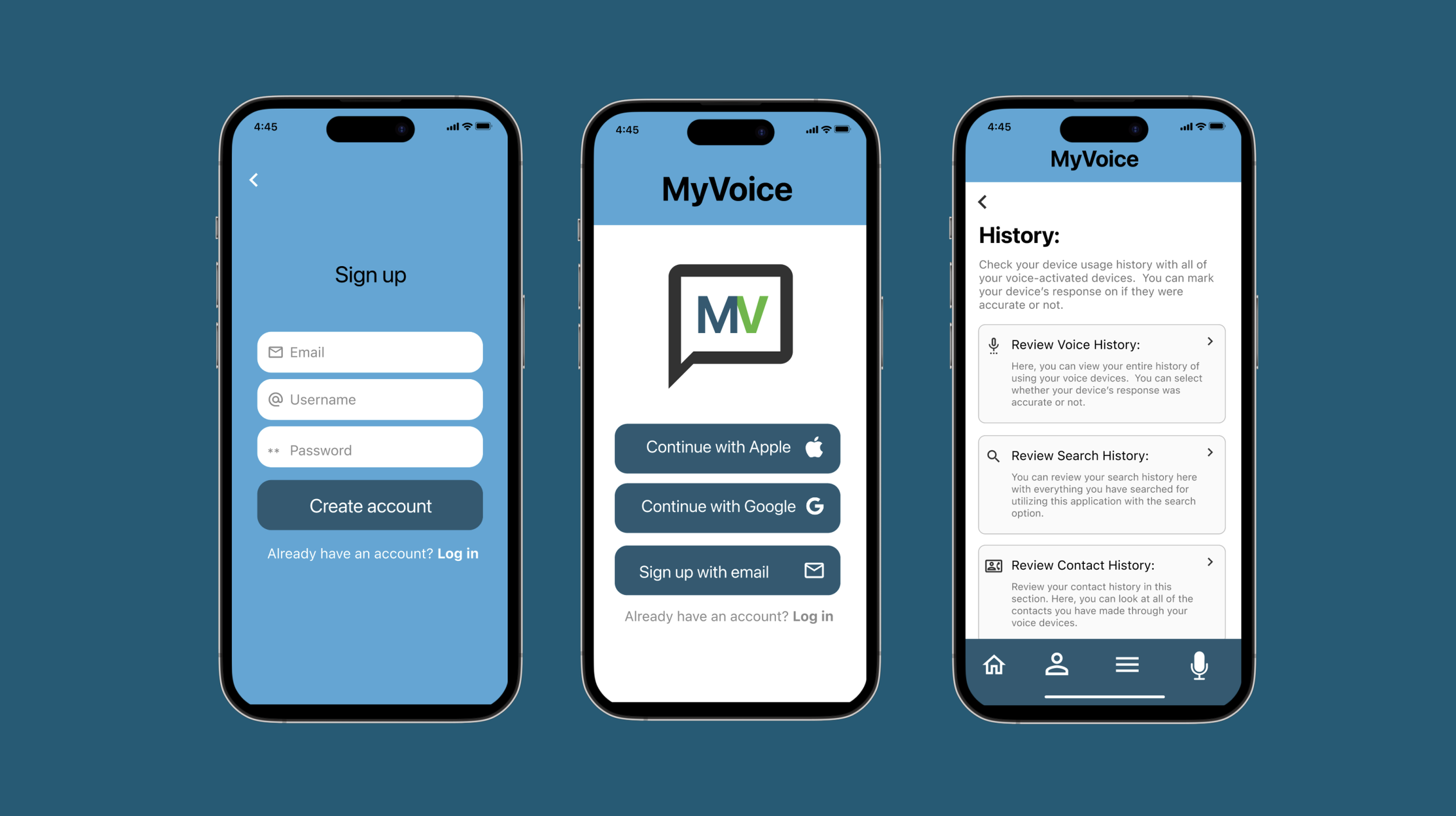
MyVoice is a smartphone application that will enable users to track important data for all voice-activated devices they own. The disabled will be able to track all of their voice utterances and select whether or not their voice device’s response was accurate. This smartphone application will also serve as a one-stop shop where users will be able to call their contacts through this application and sync their different voice devices.
Project Duration:
January 2025 — June 2025
The Problem:
Some gaps still need to be filled with voice-activated devices, when they are either responding with the wrong information or not responding at all, in addition to not being accessible for someone who is disabled to repair the devices by themselves.
My Role:
UX Designer and Researcher, designing an app for MyVoice from research, to conception, to designing and testing prototypes.
The Goal:
Design an app that is a one-stop shop for owners of voice-activated devices where they will be able to sync different voice devices, track and analog the accuracy in the device’s responses, and access the internet through different search engines such as Google and Yahoo!
Responsibilities:
User research, paper and digital wireframing, conduct low-fidelity and high-fidelity prototypes and conduct interviews to receive feedback on app usability and experience.
User research:
I conducted interviews and then created empathy maps to better understand my clientele’s needs and behaviors. Different people were interviewed based on how many voice-activated devices they owned, and if they use smart devices at least 20 hours per week. The interviewees owned at least two different voice-activated devices and often used their devices for listening to music, general information, as well as factual information such as “What year was the state of Texas established?”
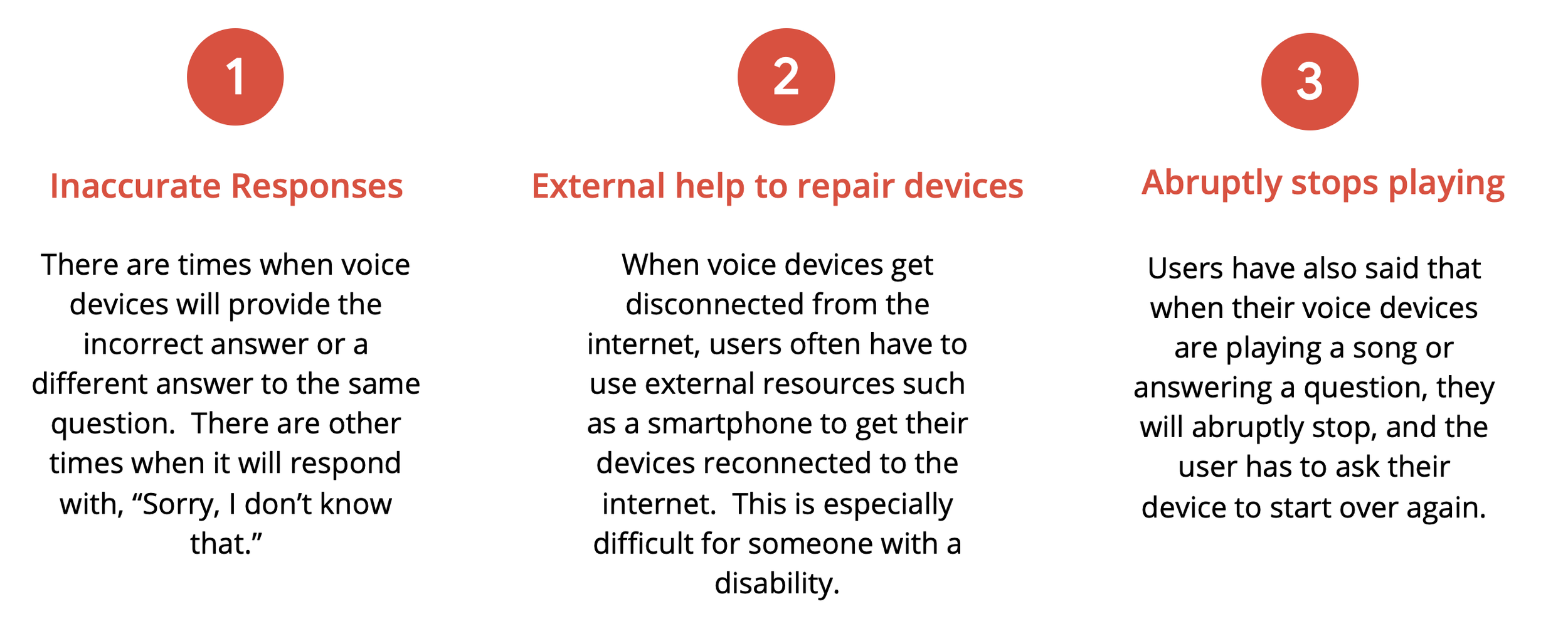
The interviewees said that they have run into issues with their voice devices where they either provided the wrong information or provided a different response to the same question. There are also times when the voice devices would abruptly cut short in the middle of a response or when playing a song. One of the interviewees said they do not have the fine motor skills to repair a device by themselves if their device is not working properly.
User research: Pain Points
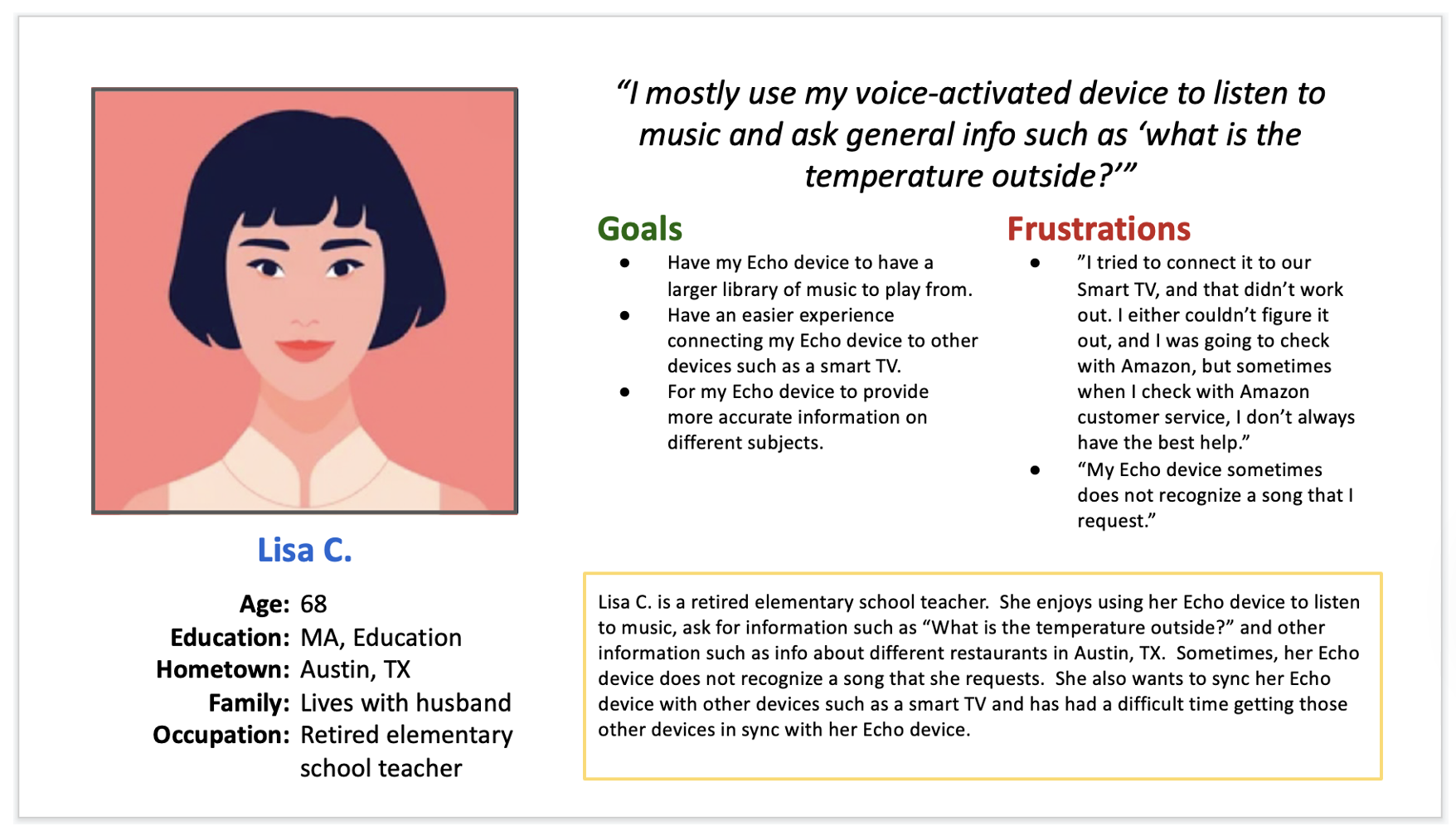
Persona: Lisa C.
Problem Statement:
Lisa is a retired elementary school teacher. She enjoys listening to music on her Echo device in her free time and would like to have a better experience with the Echo device to have a larger library of music to play from, in addition to having an easier experience syncing her device to other smart devices in her house.
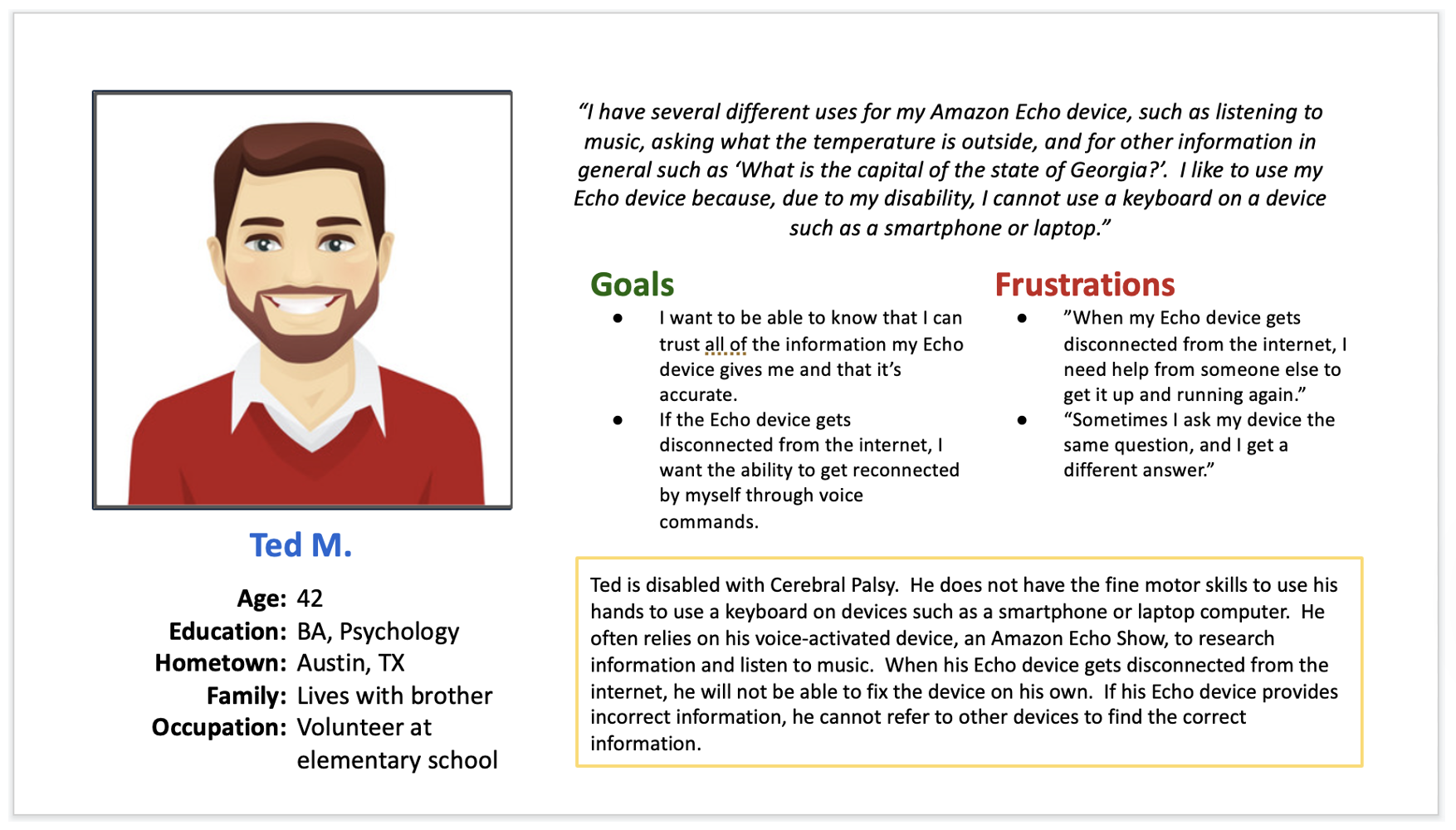
Persona: Ted M.
Problem Statement:
Ted is disabled with Cerebral Palsy. He enjoys using his voice devices in his free time to listen to music and to ask for factual information on a variety of different topics. It is frustrating for him when his voice devices either provide wrong information or get disconnected from the internet. Ted does not have the fine motor skills to repair a device by himself.
User Story:
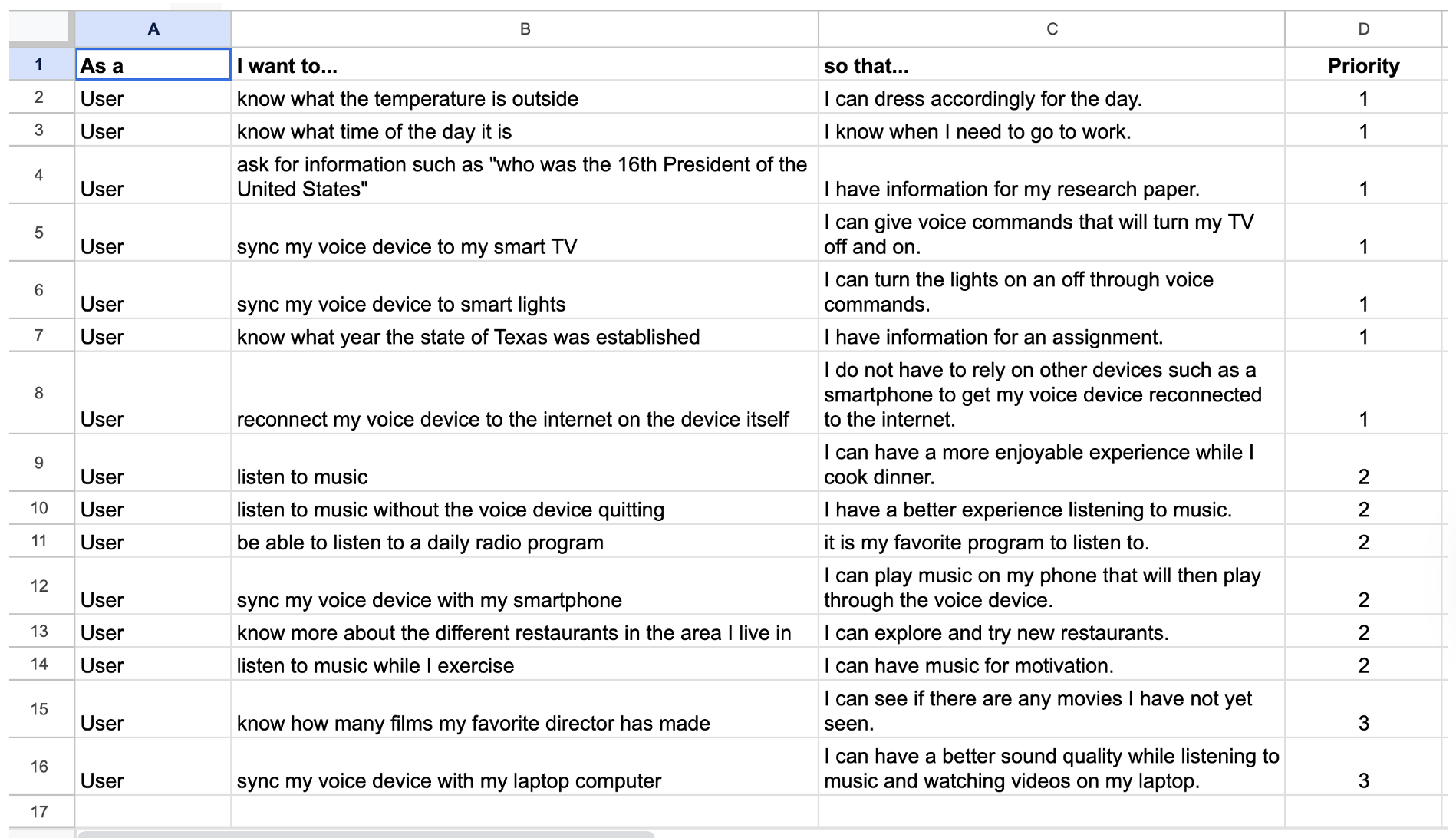
This screenshot is the user stories that were created that exemplify what users want out of their voice devices. They want their voice devices to be able to perform a variety of different tasks, from listening to music to turning on and off the TV.
Wireframes Sketches:
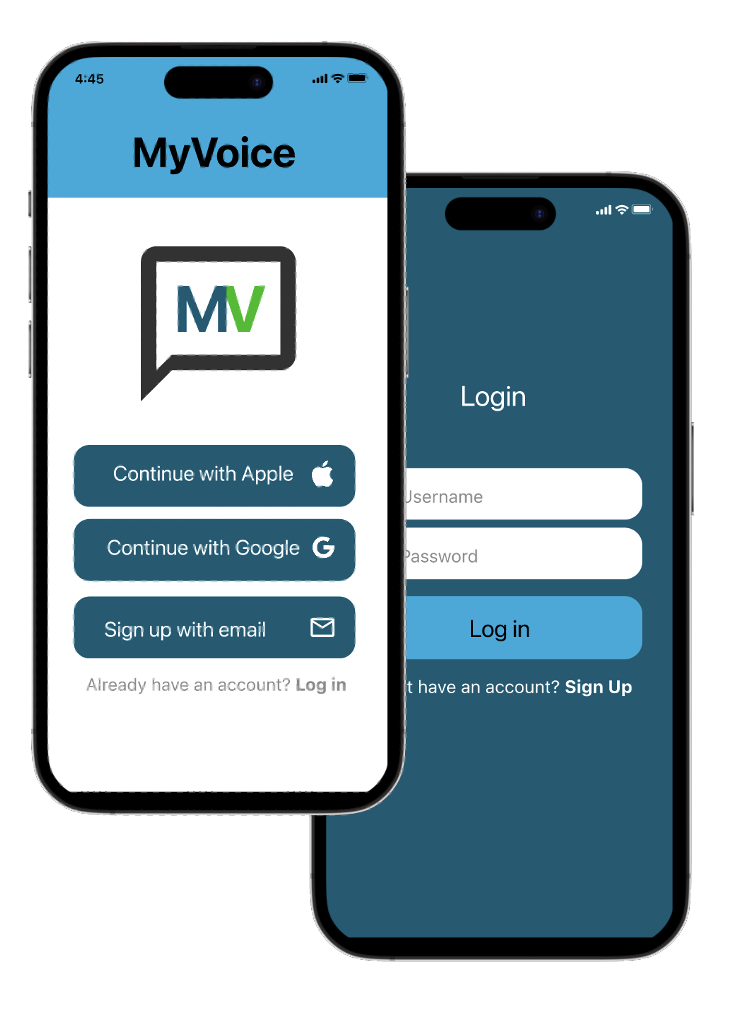
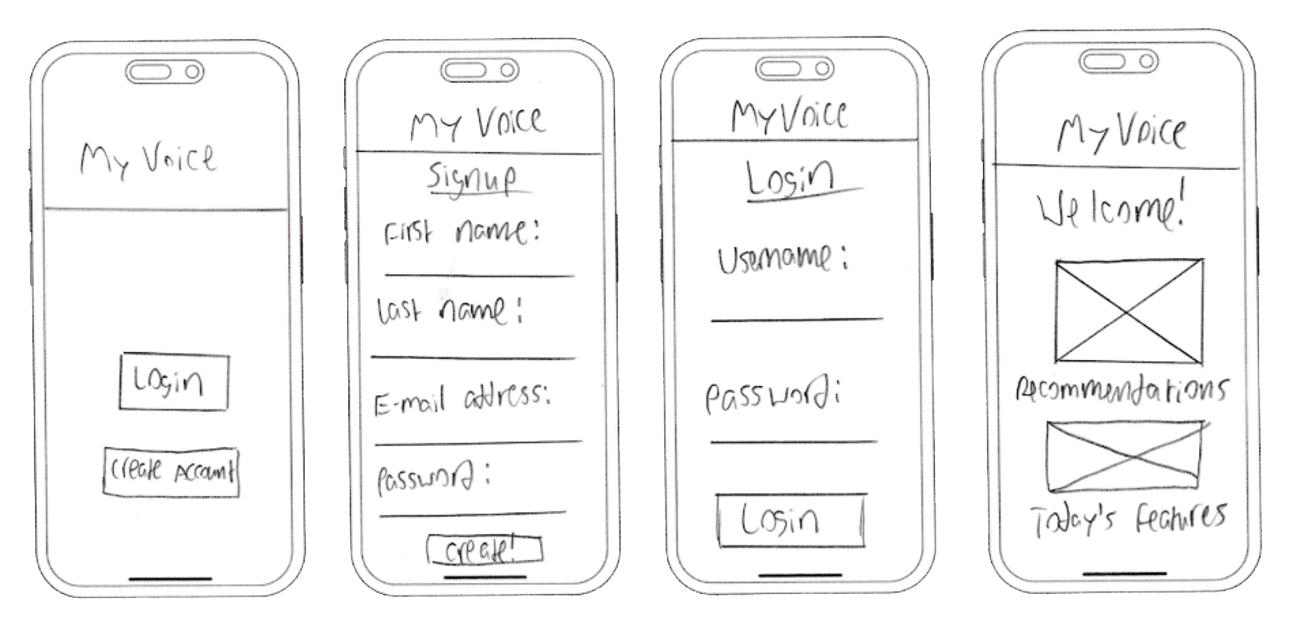
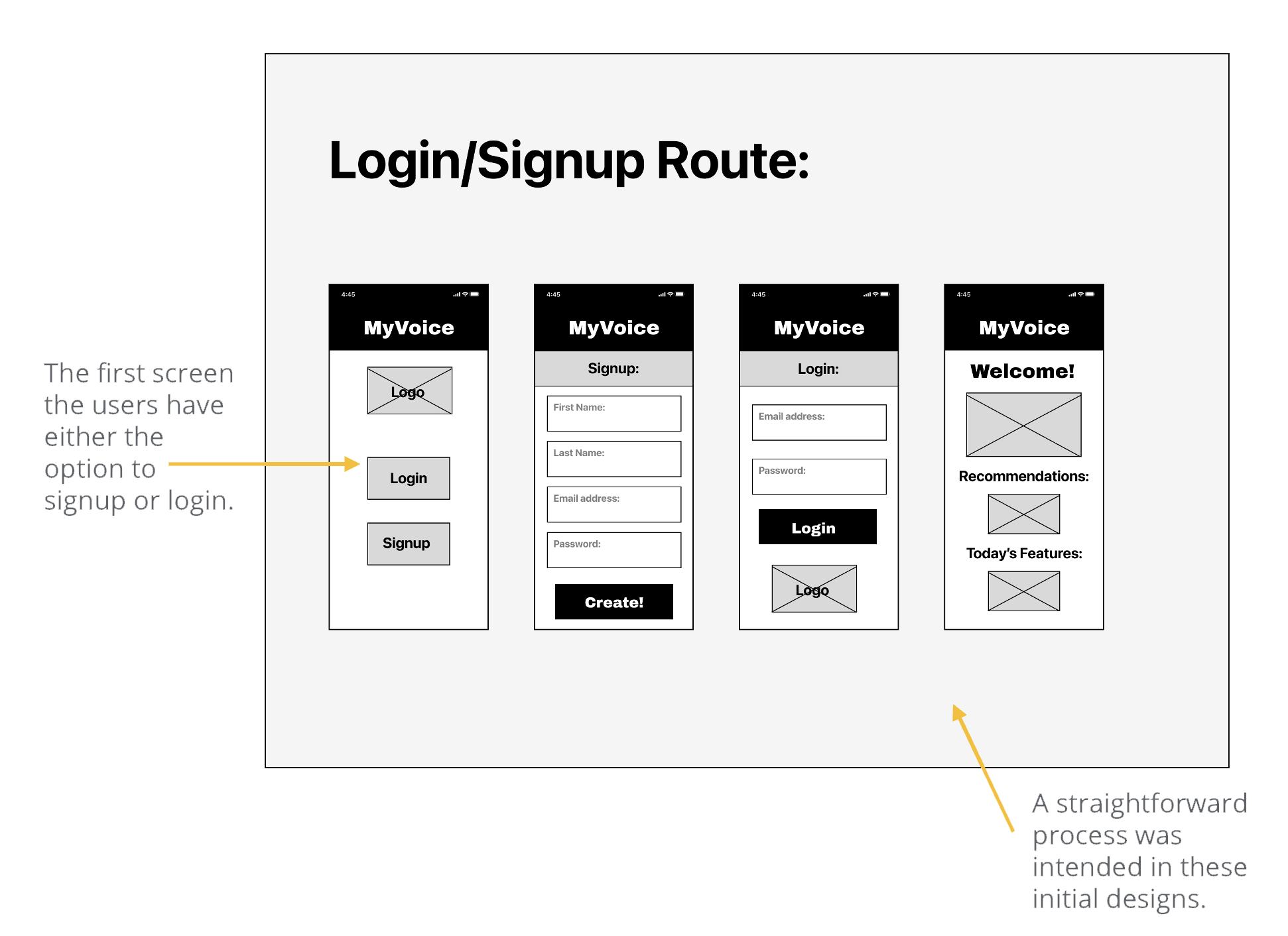
These are the wireframe sketches that were made for the login/signup route. The process was intended to be simple and straightforward for the user where they either login or register for the application. When they register, they enter the essential information such as first name, last name, email address, and create a password.
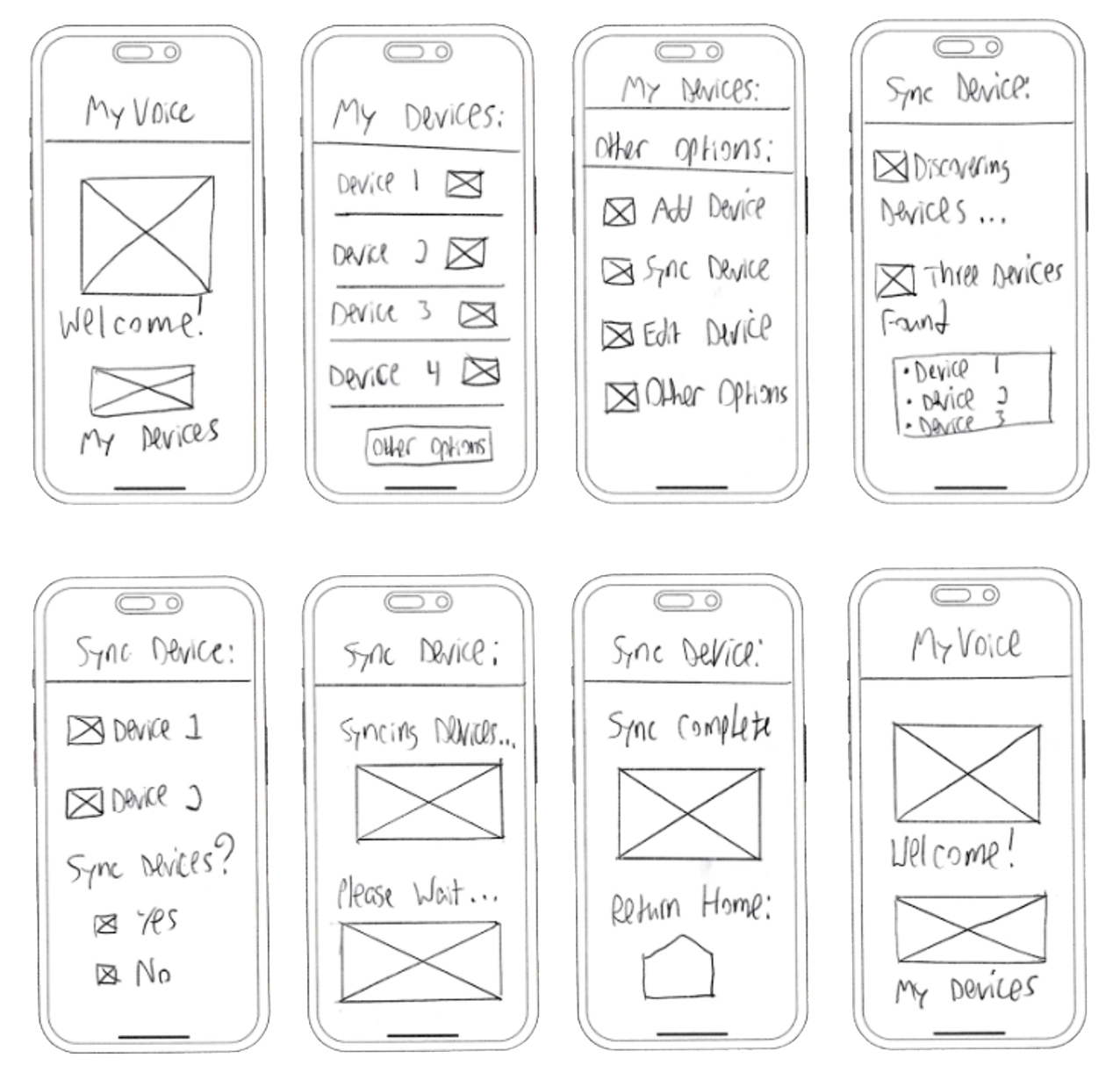
These sketches are for the “sync voice device” route. In this route, users will first have the app discover nearby voice devices, and then select two devices they would like to be in sync.
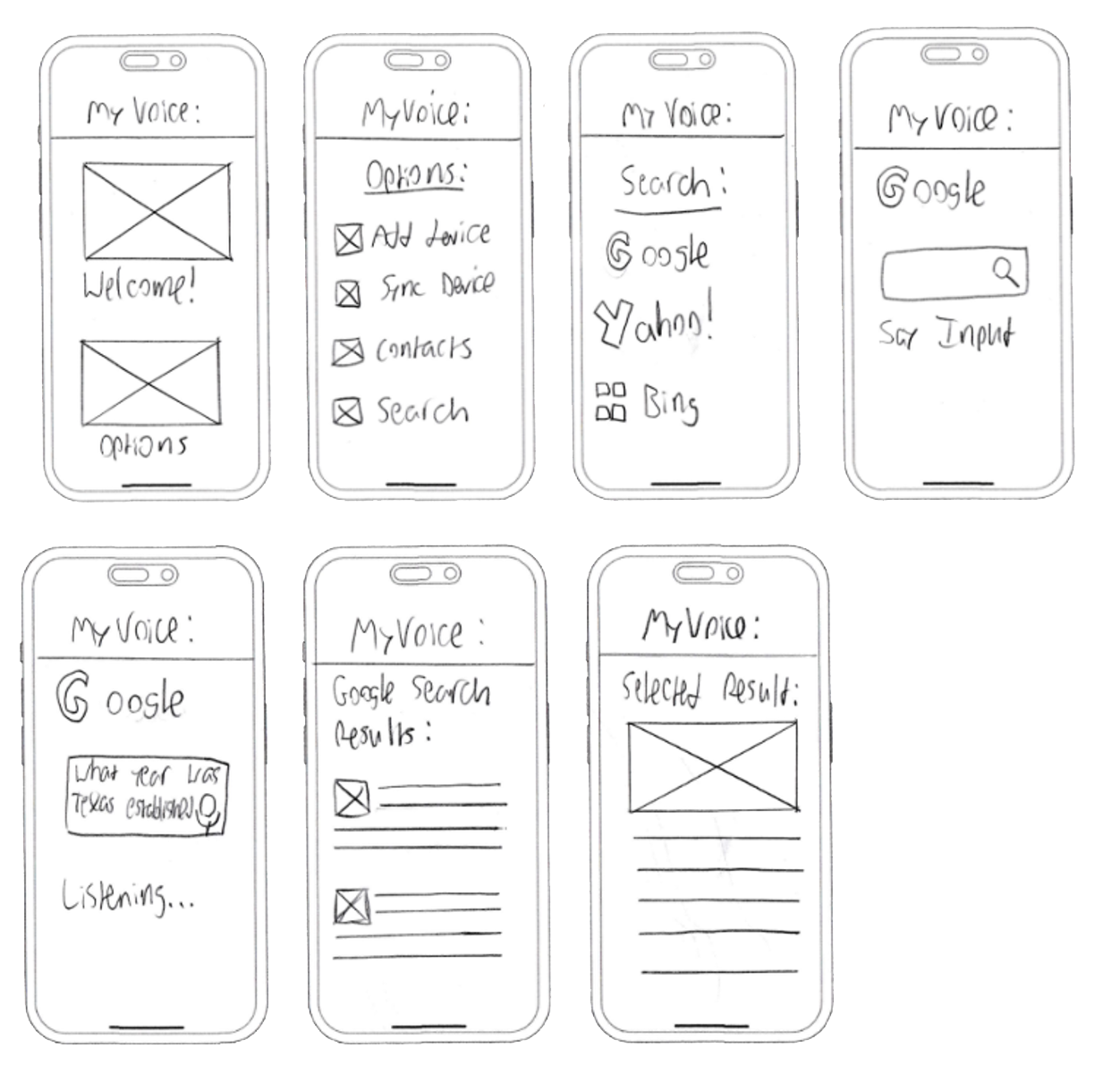
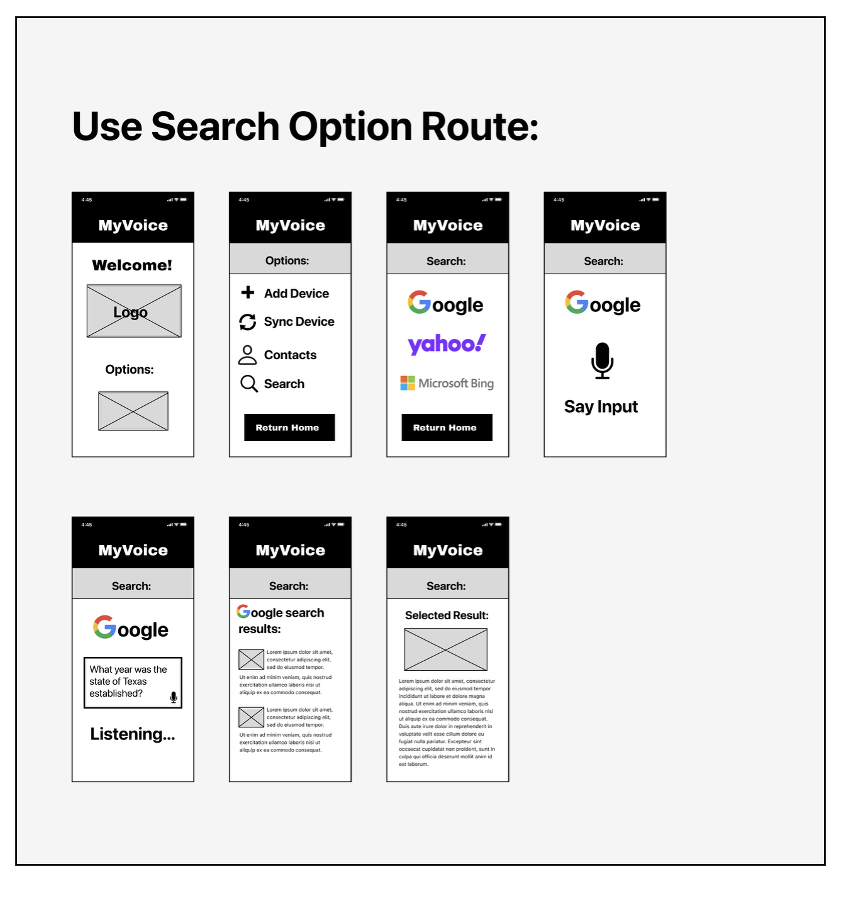
These sketches are for the “use search option” route. In this route, the user will have the option to access different search engine websites such as Google or Yahoo!, through the application. They simply select the “search” option and select which website they prefer to use and go through the process of searching for different information.
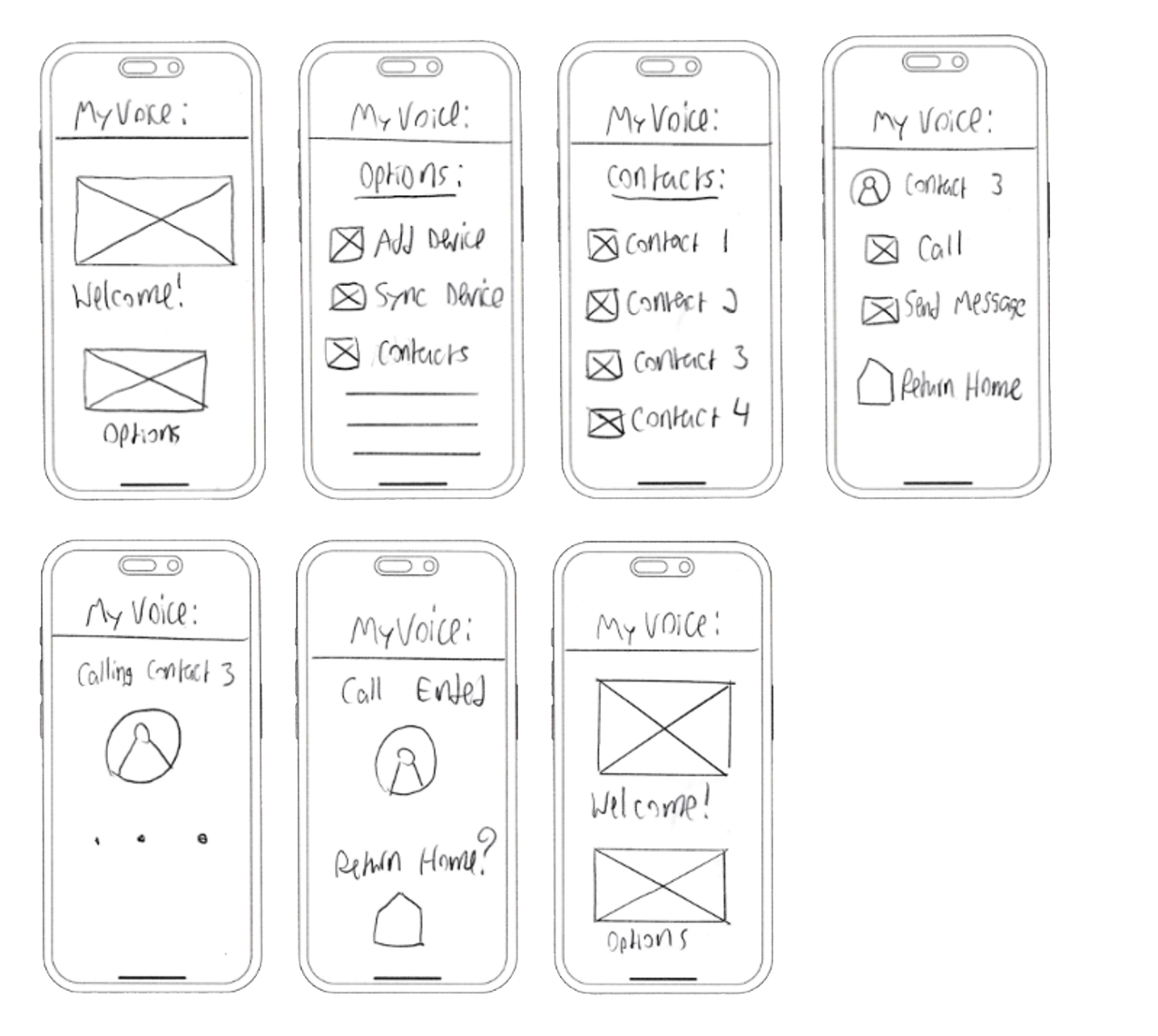
The “contact family member” also had a straightforward process when sketching, where the user would select “contacts” from the options menu and then follow a step-by-step process of selecting the contact and having the option to either call or send a message.
Login/Signup:
Sync Voice Devices:
Use Search Option:
Contact Family Member:
Digital Wireframes:
The wireframe sketches were then translated into digital wireframes utilizing Figma. The digital wireframes followed the same format and process as the wireframe sketches.
The processes were meant to be simple and not overly detailed, as that might distract the user from performing important tasks in the red routes. There was still significant improvement that needed to be made for the high-fidelity mockups.
Mockups:
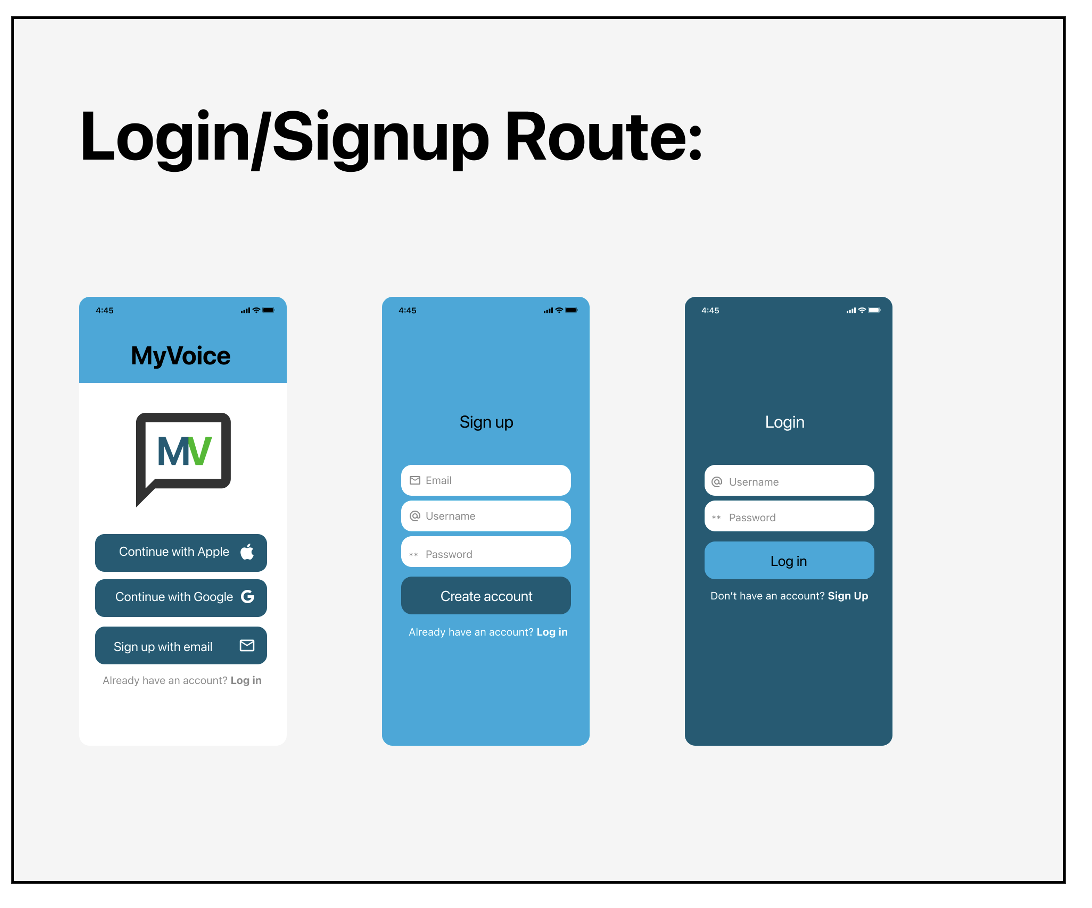
High-fidelity screens were created utilizing Figma. After the first digital wireframes were created, they were then translated into digital wireframes with different color choices. The screens were then fine-tuned into high-fidelity mockups that would be visually pleasing for the user.
Sync Voice Device Route:
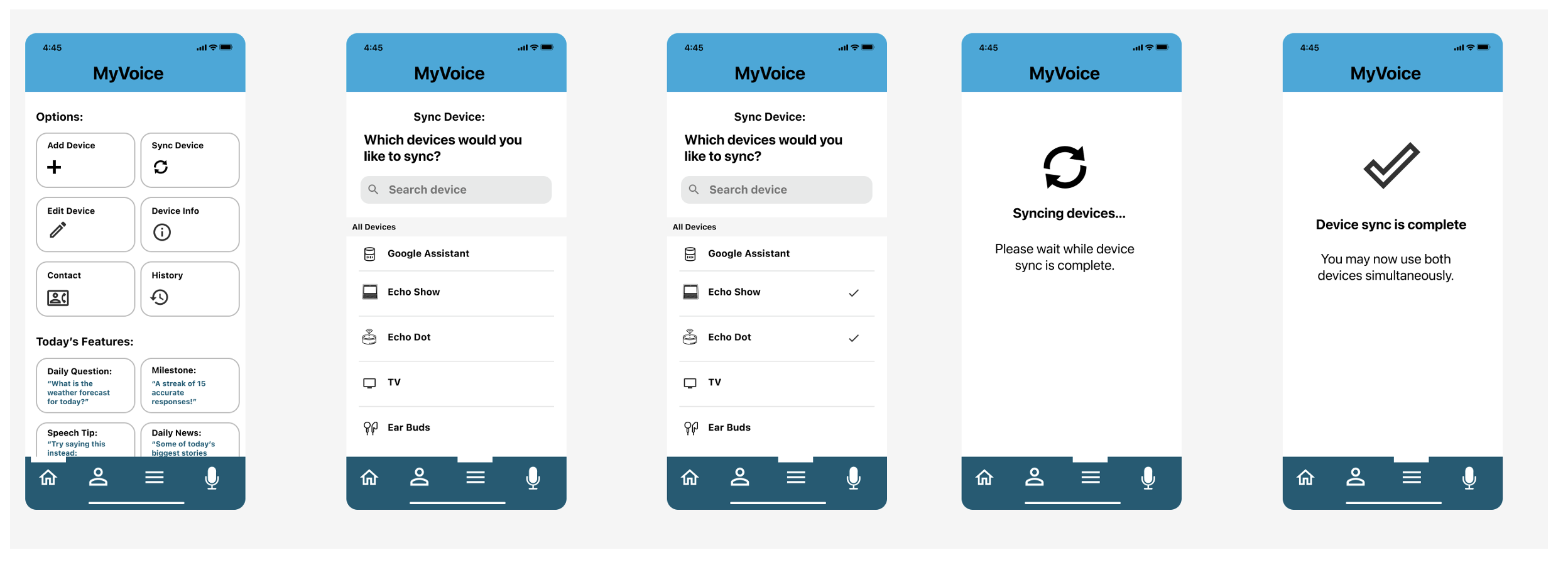
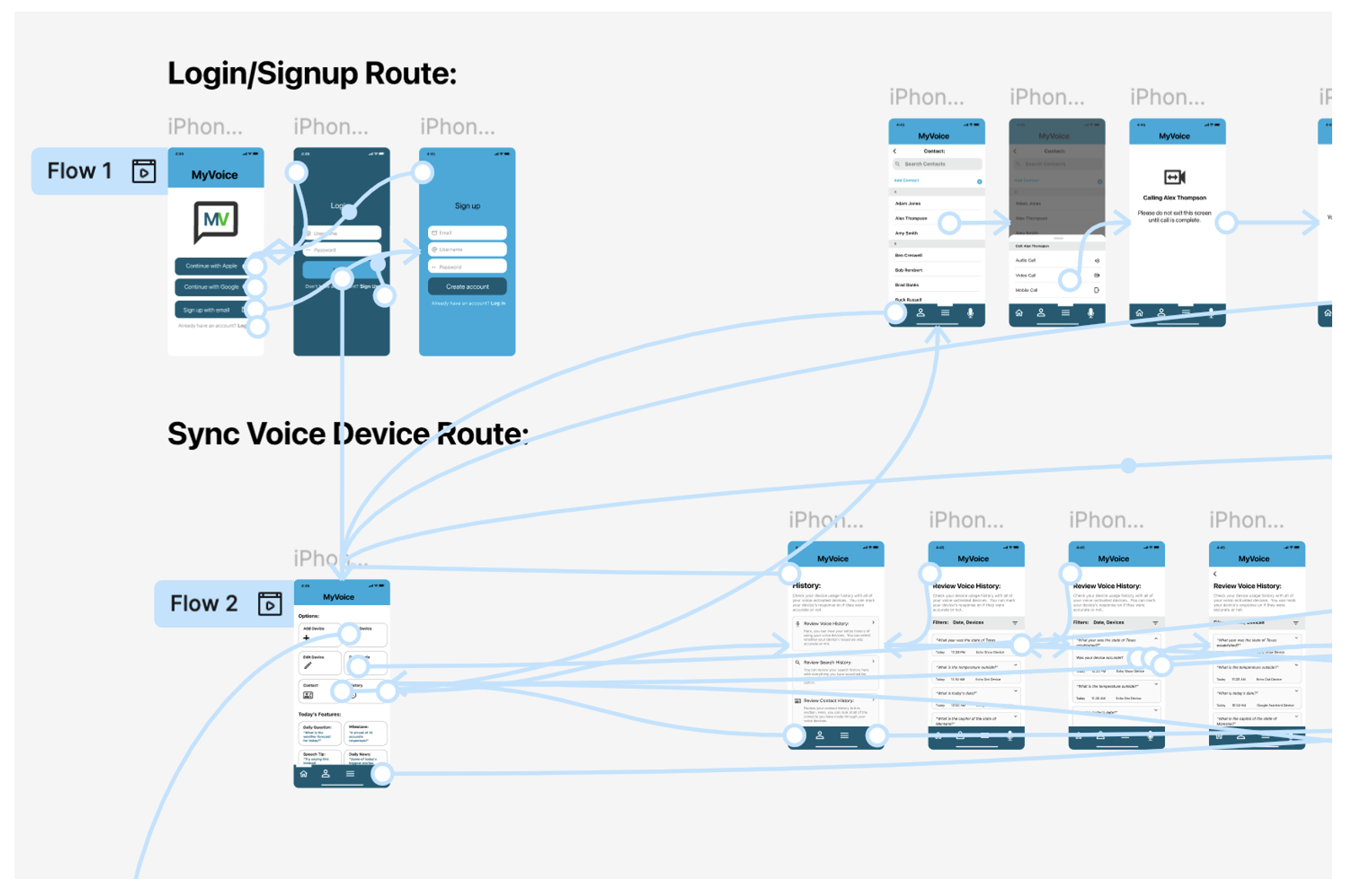
This is the high-fidelity mockup of the ”sync device route”. The user starts with the dashboard home page, selects two different devices, and then it takes them through the process of syncing two voice devices.
Review Voice History Route:
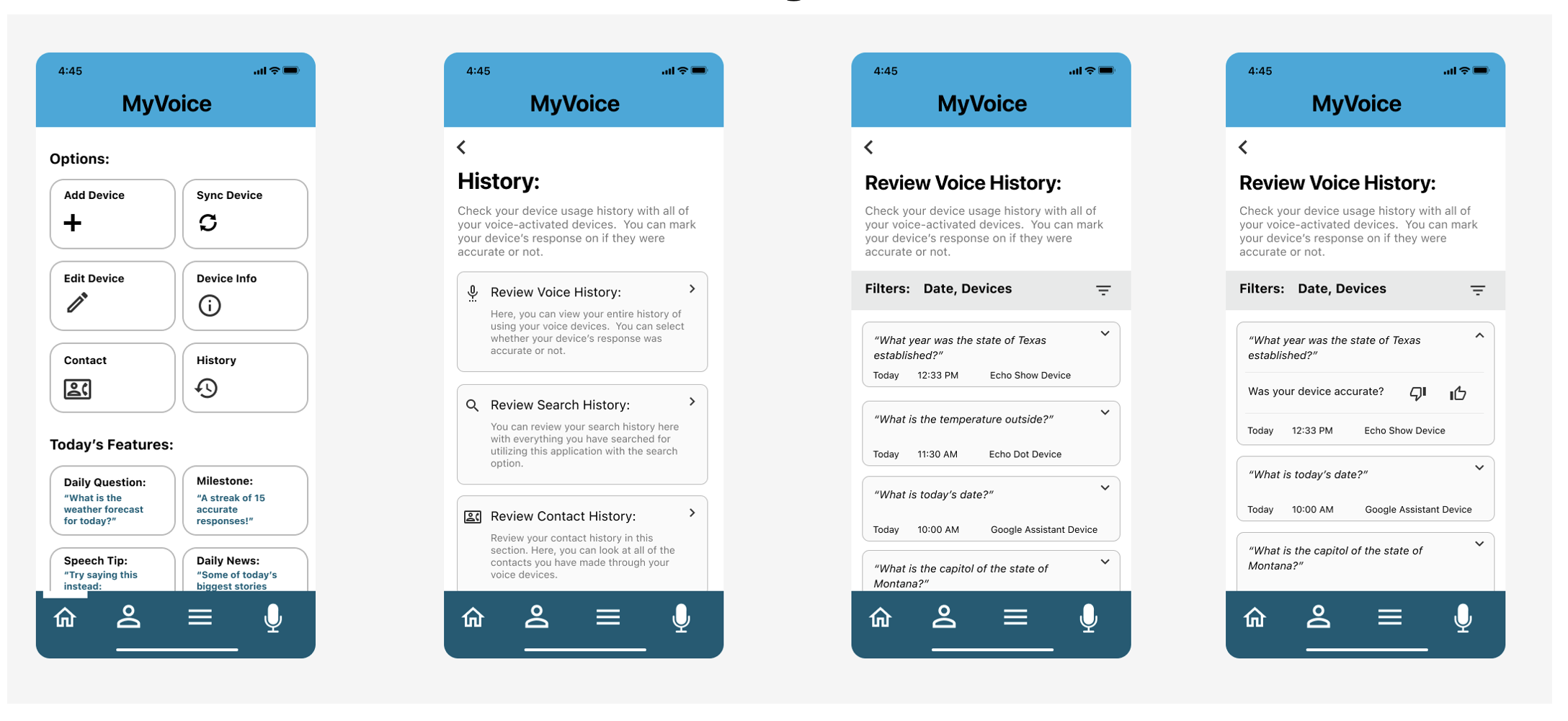
In the “voice history route”, it is better illustrated and organized as to what the user has to do to vote for a voice response’s accuracy. They start at the dashboard, click on “History”, and are given the option to “Review Voice History”.
Make Contact Route:
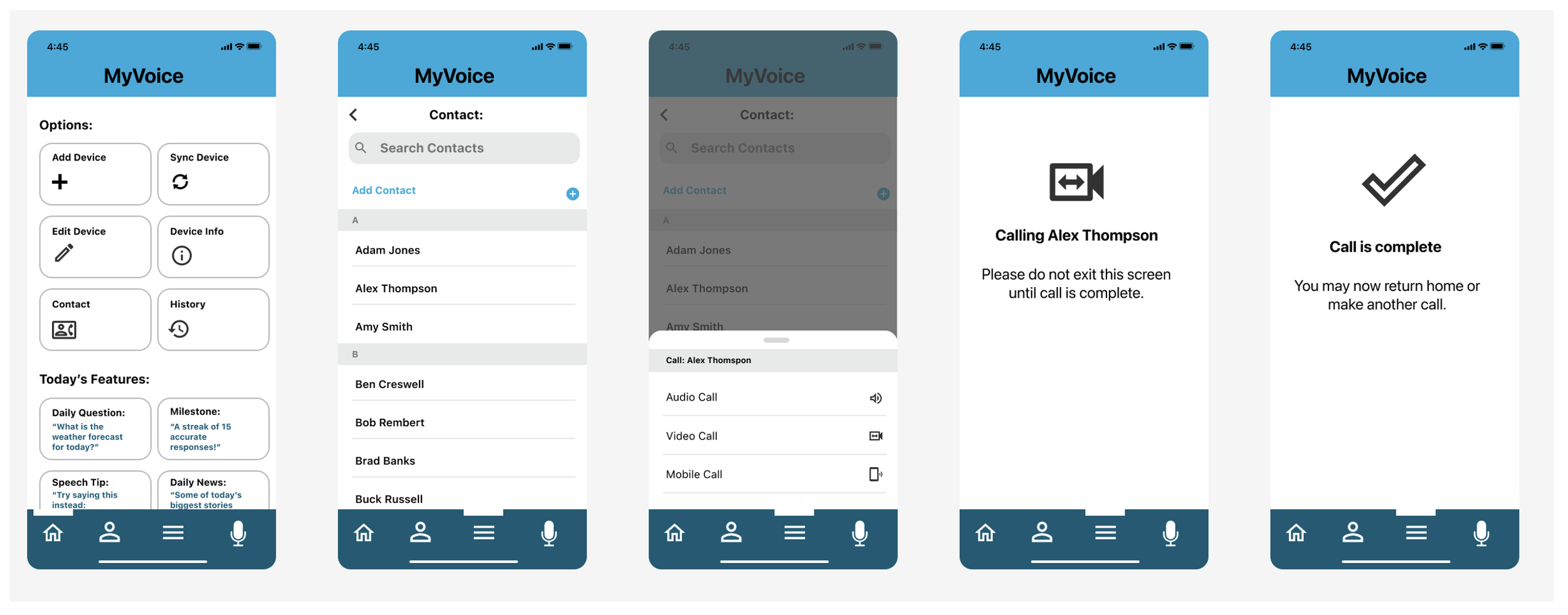
In the “make contact route”, the user selects “Contact”, then are shown a list of their contacts. They then select one of the contacts and have the option to either make an audio call, video call, or mobile call.
High-Fidelity Prototype:
After completing the high-fidelity mockups, a high-fidelity prototype was created in Figma. Different flows have been designed so the user can navigate throughout the app smoothly.
View MyVoice’s
Usability study: findings
Round 1 Findings:
Accessibility considerations
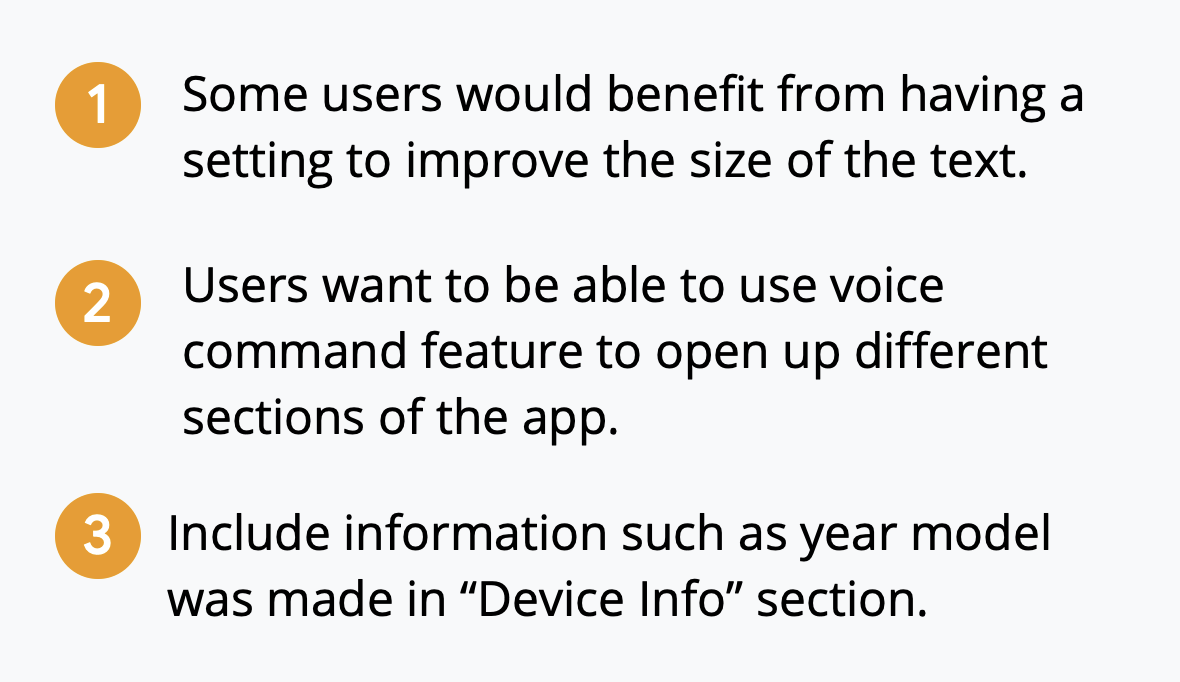
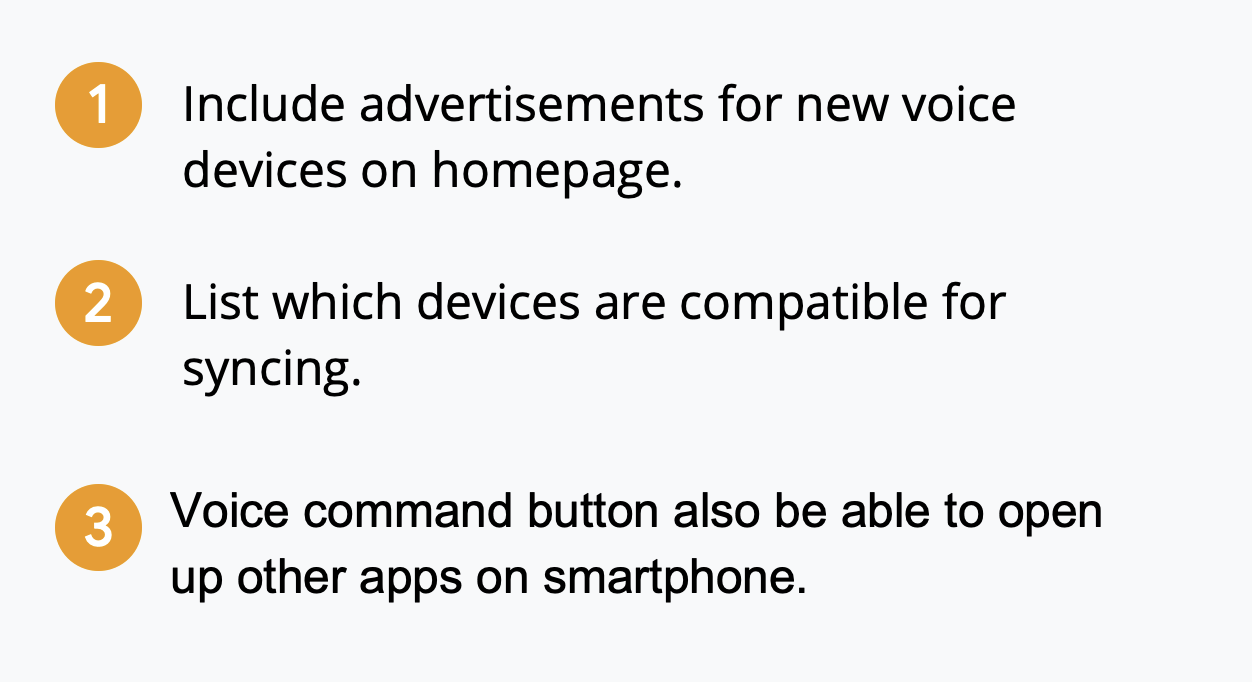
There were two rounds of usability studies conducted. Five participants were selected for each study, and they were selected upon the criteria that they were in the age range of 25 to 75 years old, owners of voice-activated devices, and used smart technology at least 20 hours per week. In the first round, it was discovered that it would be useful if the user could use the voice command to open different sections of the application. In the second round, the users also made suggestions including advertisements on new and upcoming voice devices, as well as listing what devices are compatible for syncing with one another.
Round 2 Findings:
Takeaways
Impact:
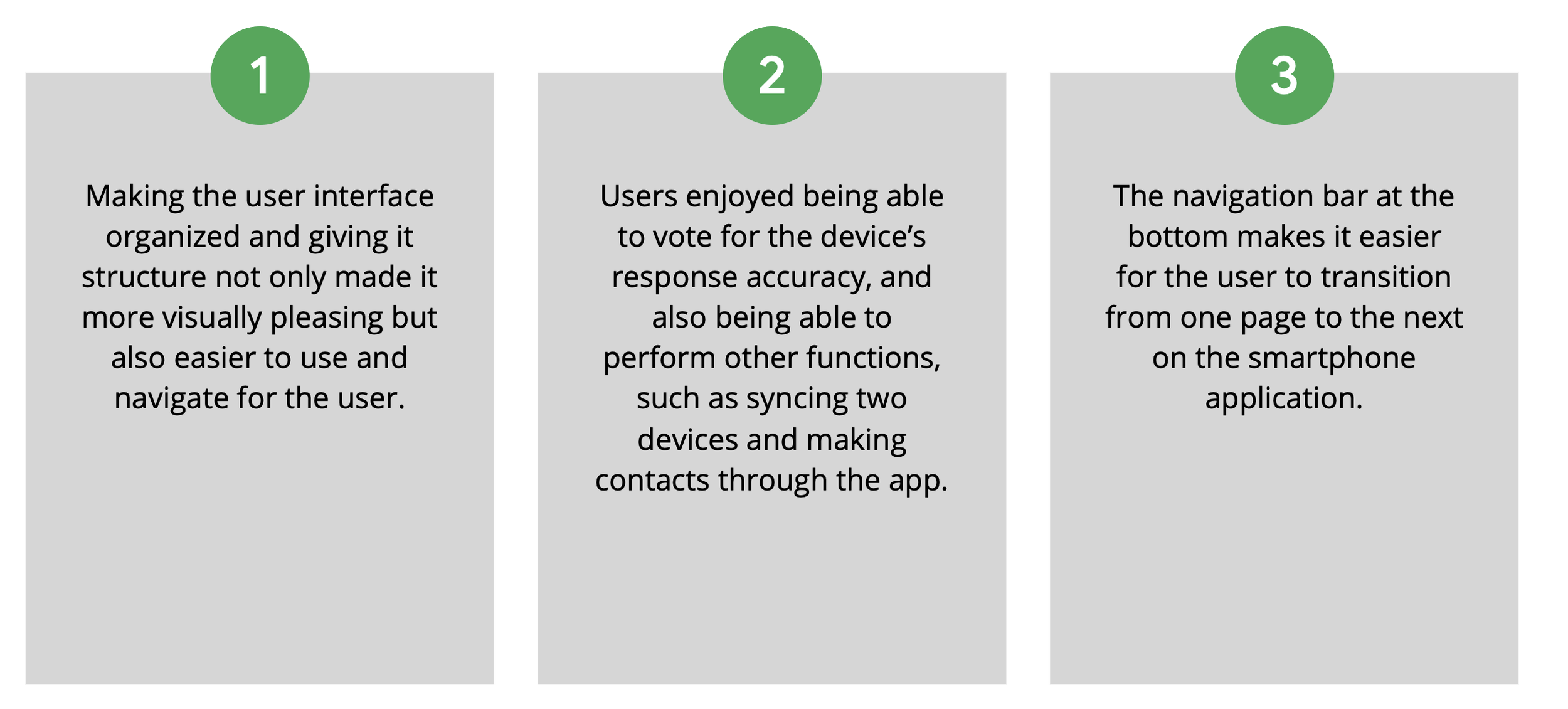
Users enjoyed the app for its straightforward design and ease of use. They liked having an app that can serve as a one-stop shop to not only track and analyze their voice devices but also perform other functions such as making video calls.
Next Steps
What I Learned:
This process has given me a greater insight into how the UX process works and all of the different steps that are involved, from conducting research and interviews to creating wireframe sketches and turning those sketches into high-fidelity digital mockups. I also learned the importance of usability testing and how much more you can learn about how to improve your product by getting feedback from others.
