
Project Overview:
The Product:
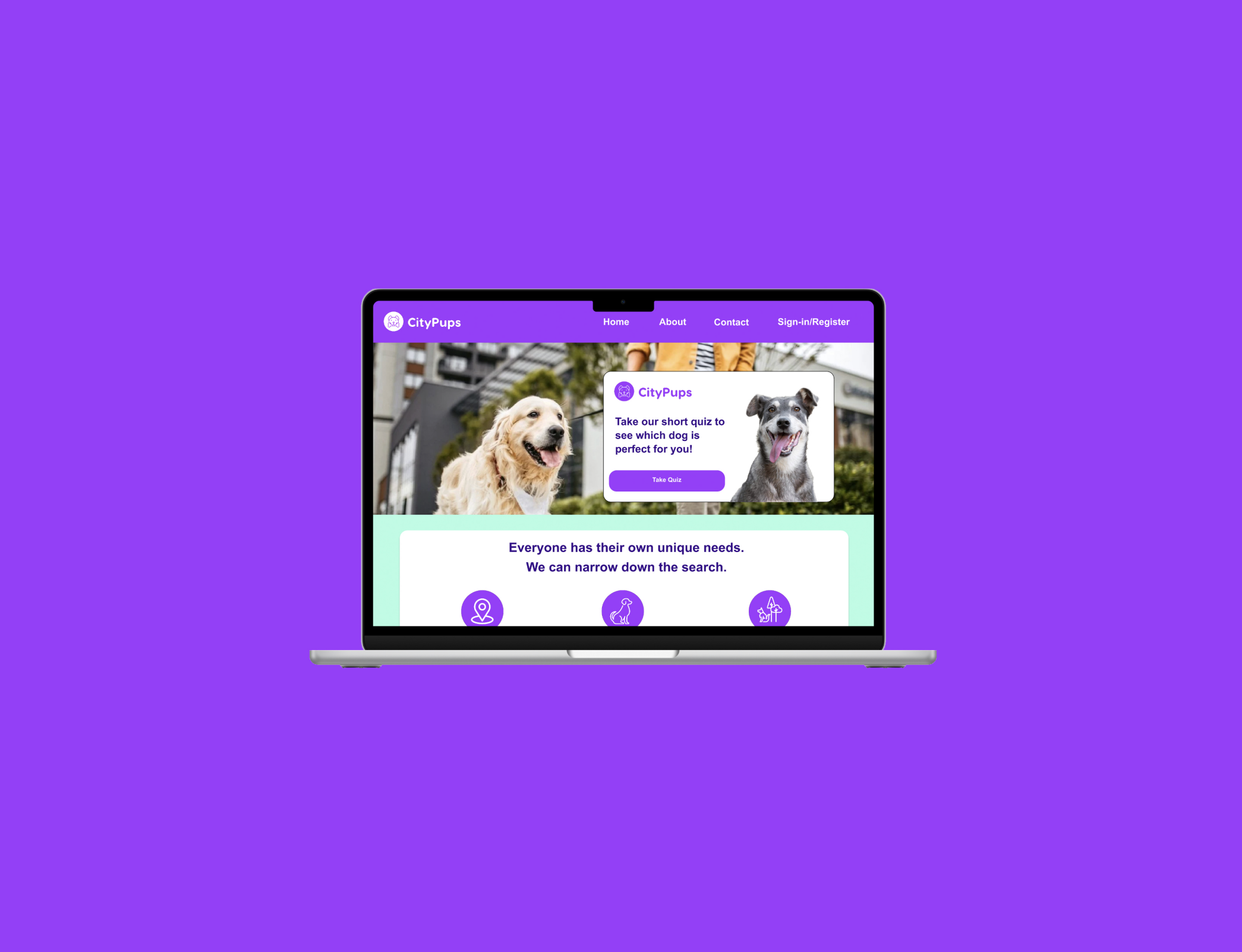
CityPups is a desktop website to help make the process of adopting dogs easier for people who live in cities. CityPups filters out the factors that will help users find the perfect dog to suit their needs in the city in which they live, from determining the space the user lives in and the personality they desire for their dog.
The Problem:
People who live in cities have very specific and unique needs when it comes to finding the right dog. The amount of space they live in can range from a small apartment no more than 750 square feet to a large house that is approximately 3,000 square feet. It can be challenging for people to find the right dog to fit their needs with the space and the daily activities they engage in.
My Role:
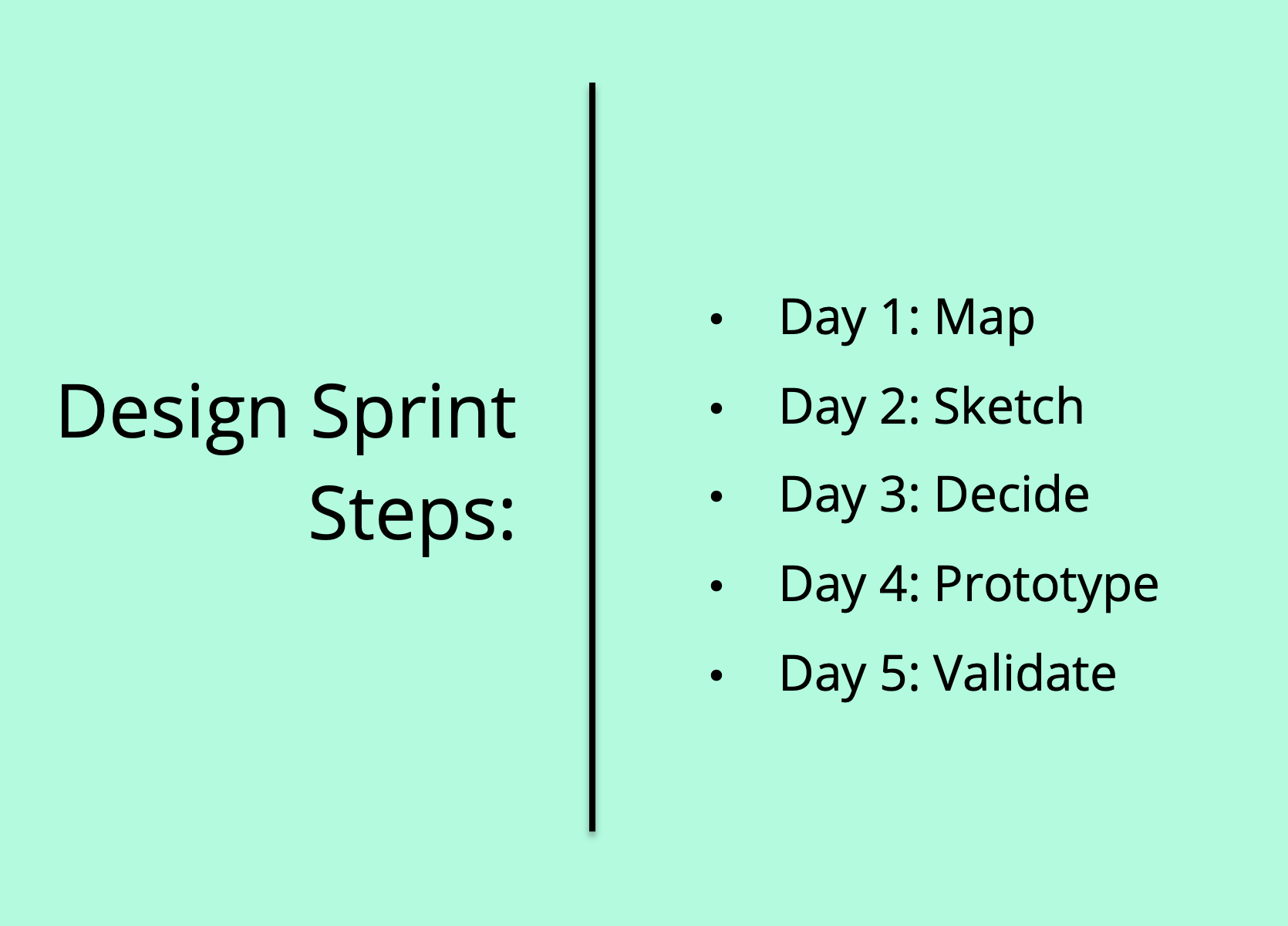
UX Designer and Researcher, designing a desktop website for CityPups in a design sprint, from creating a map, sketching a solution, creating a storyboard, developing a prototype, and validating the design.
Solution:
Design a website that helps city residents find the perfect dog that fits their needs in terms of space, outdoor activities, how much time their dog will be alone, and what kind of personality they desire in their dog. This makes it quicker and easier for city dwellers in the dog adoption process. This also helps dog adoption agencies find their dogs a good home.
Responsibilities:
User research, sketching out solutions, deciding and creating a storyboard, prototyping the solution, and validating the prototype by interviewing five users.
Day 1: Map
Understand/Map:
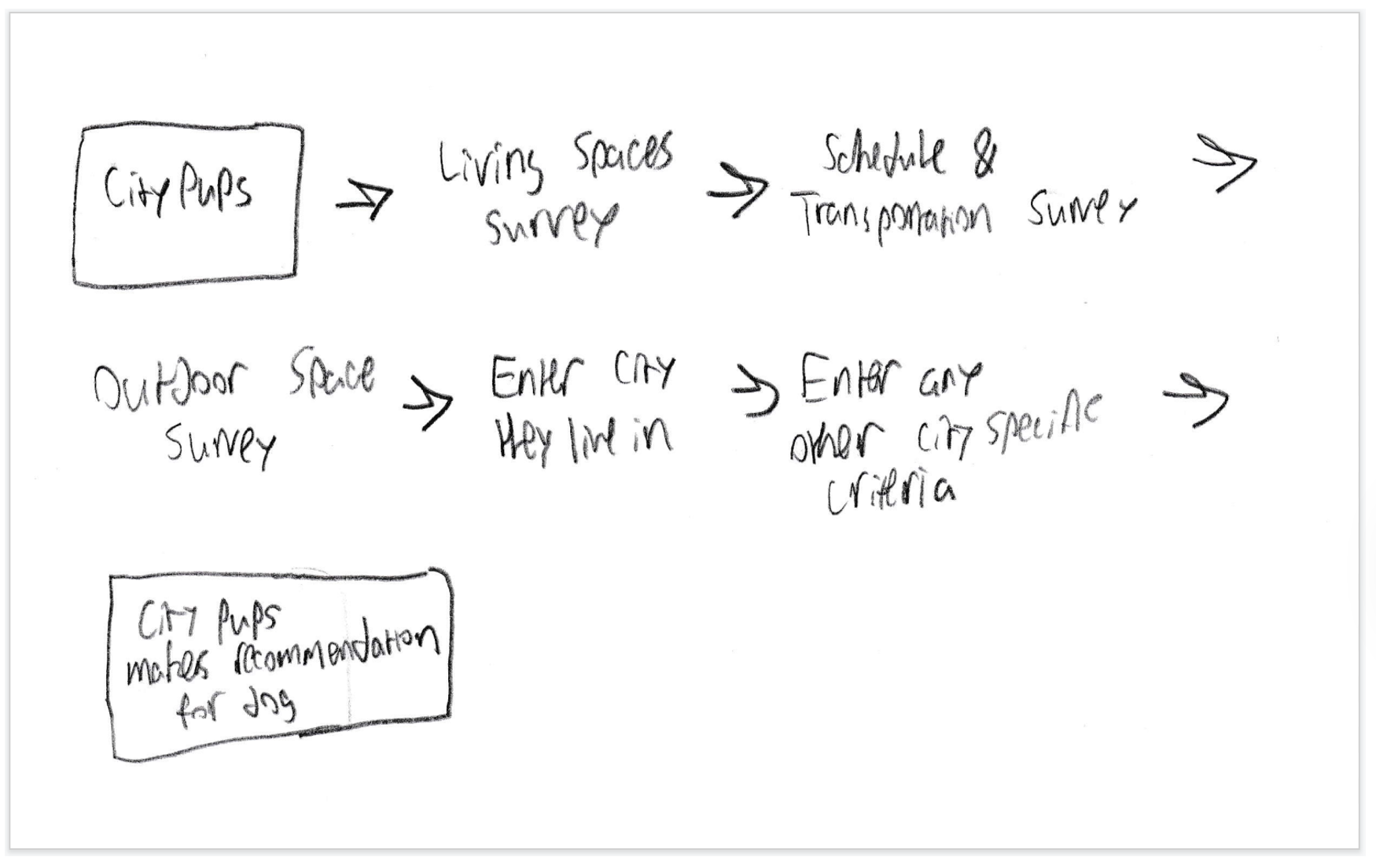
On the first day of the design sprint, I was tasked with understanding the problem that CityPups was trying to solve, and then mapping out a possible solution. I thought that CityPups should include a quiz that was quick and asked important questions such as the user’s living space, their work schedule, and activities they are involved in, etc. to help figure out the criteria when deciding what dog was best suited.
Day 2: Sketch
Lightning Demo:
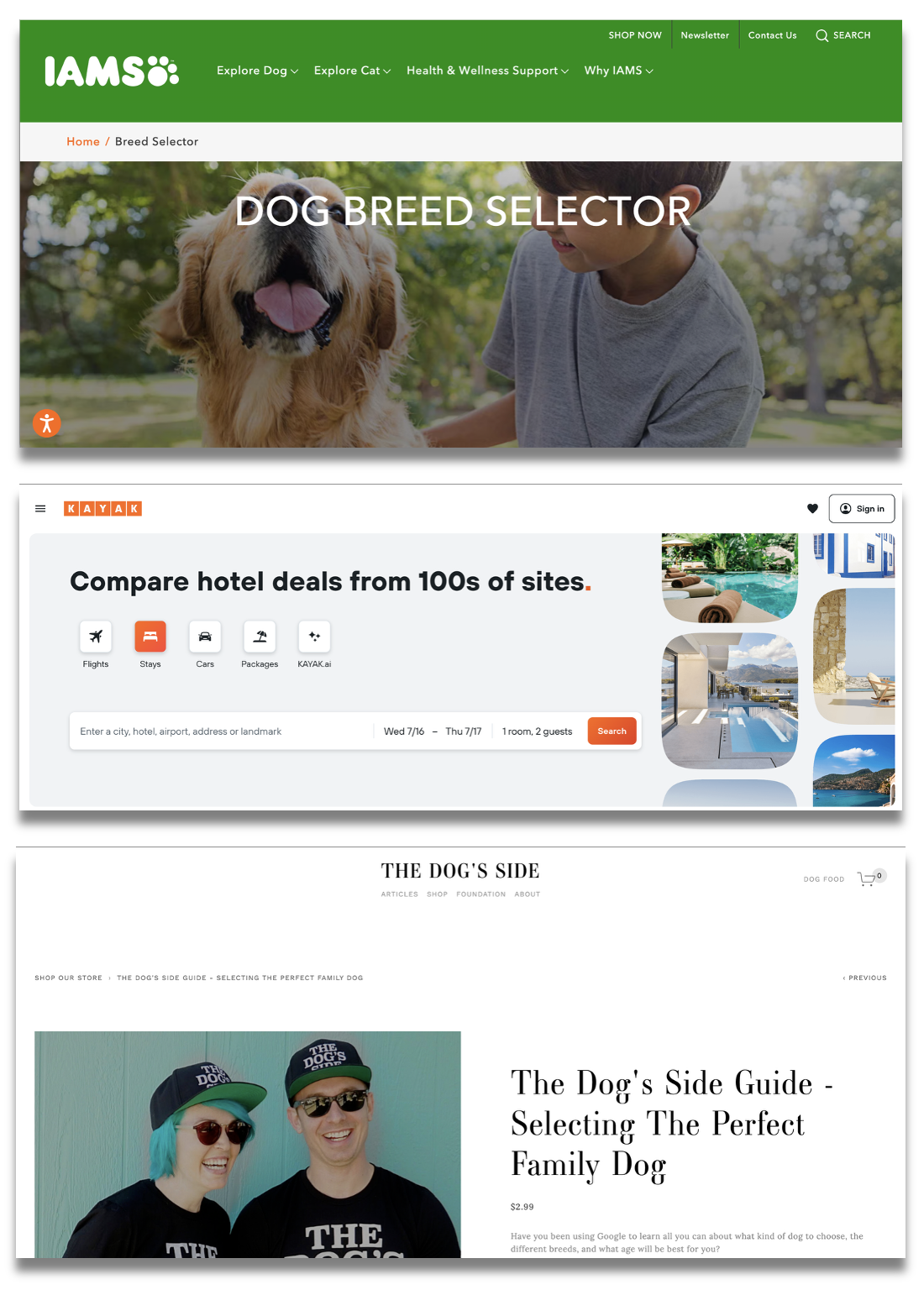
On day 2 of the design sprint, research was conducted for a lightning demo, which involved looking at different products and websites that would help serve as inspiration for the CityPups website. Inspiration was taken from IAMS for their “dog breed selector” feature on their website and also for their personality of being a pet-friendly brand. Kayak also served as inspiration as it is a website that helps users filter out criteria and help make decisions with traveling. “The Dog’s Side” also served as inspiration as it involved dog adoption services.
Crazy8 Sketches:
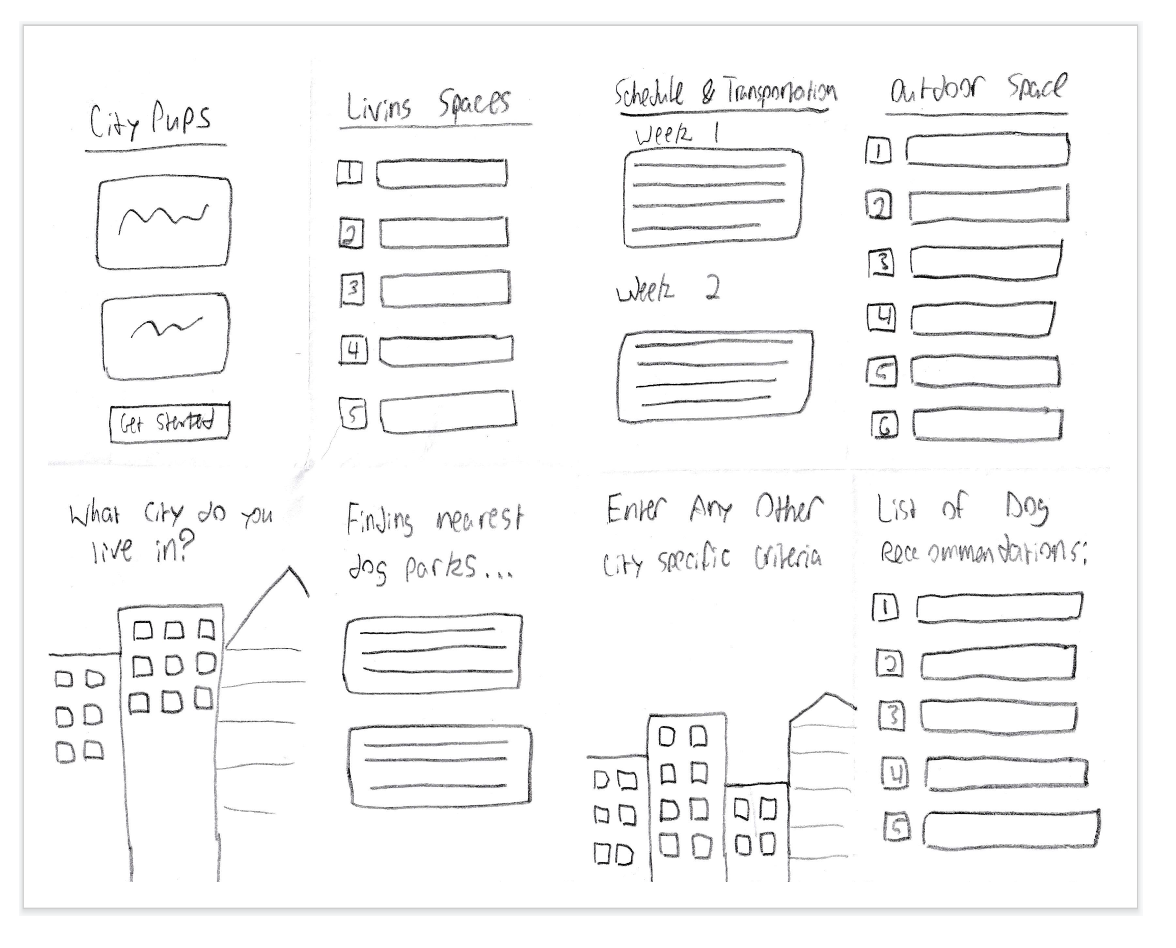
A Crazy8 sketch was then completed as a brainstorming exercise to see what possible solutions could be developed into a website that provides a quick and easy experience for city residents. I wanted the screens to be straightforward and nicely organized with the different questions, such as a person’s living spaces, their work schedule, how much outdoor space they have, which city they live in, and any other city-specific criteria that could help determine finding the right dog.
Solution Sketch:
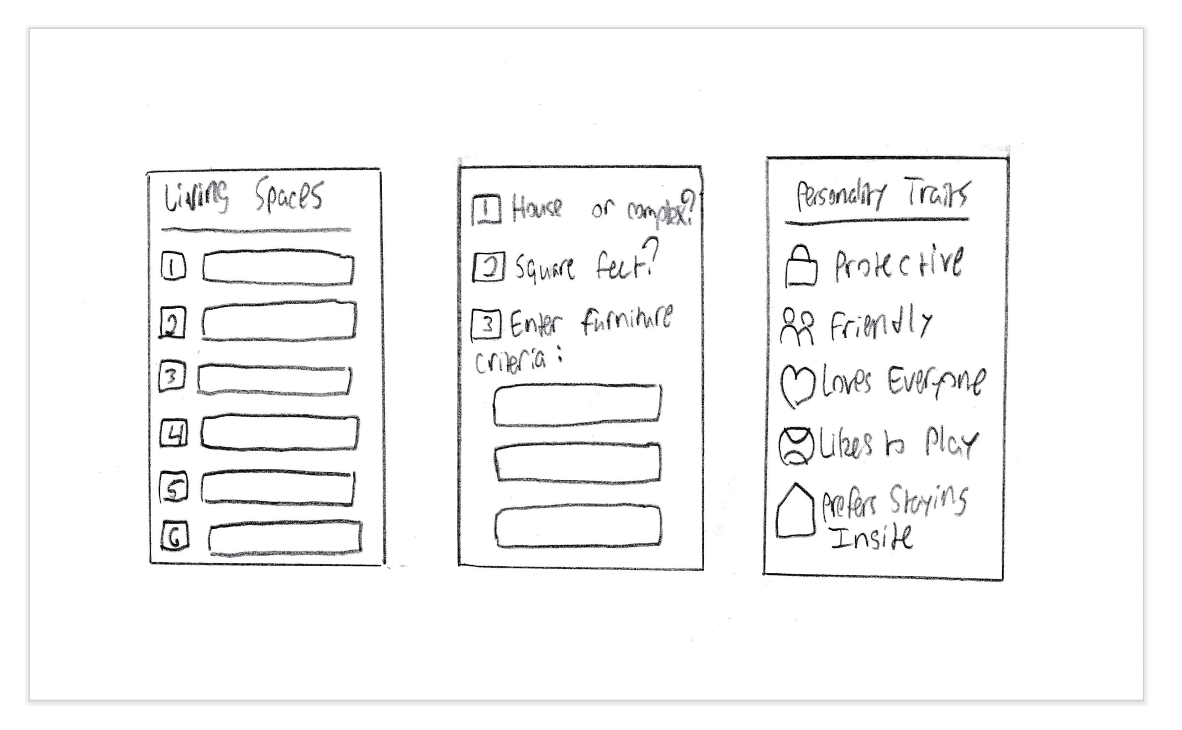
This is the solution sketch with the three screens, with the critical screen in the middle, and then the screen that comes before and after. It was decided that the living space a person lives in, whether it is in a house or apartment, and any furniture criteria, were important in deciding what size of dog they should have. Then, filling out information such as the desired dog’s personality was also critical in determining which dog was right for the user.
Day 3: Decide
Decide and Create a Storyboard:
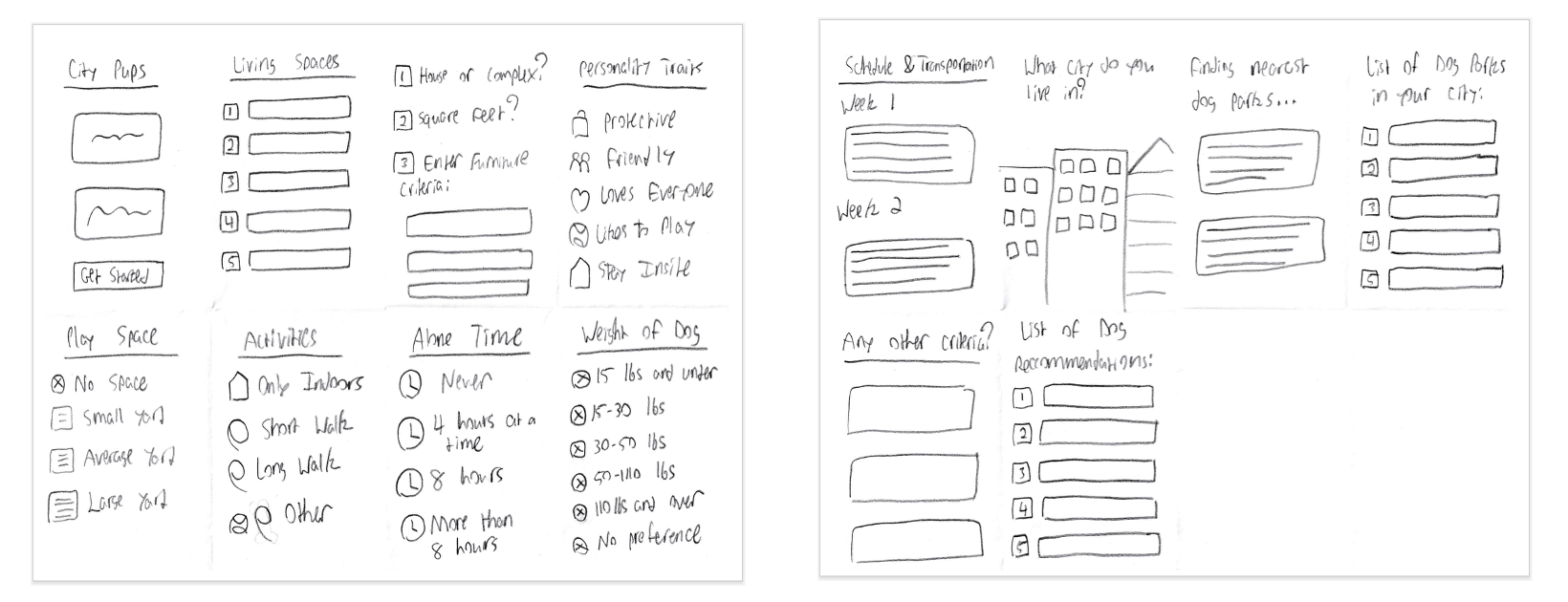
After deciding on the solution from Day 2, I created a storyboard with the following 14 panels. I decided to build upon the process of entering the information about the city they live in and how much living space. Next, I added what kind of activities they would do with their dog, and how much alone time their dog would have.
Day 4: Prototype
Solution Prototype:
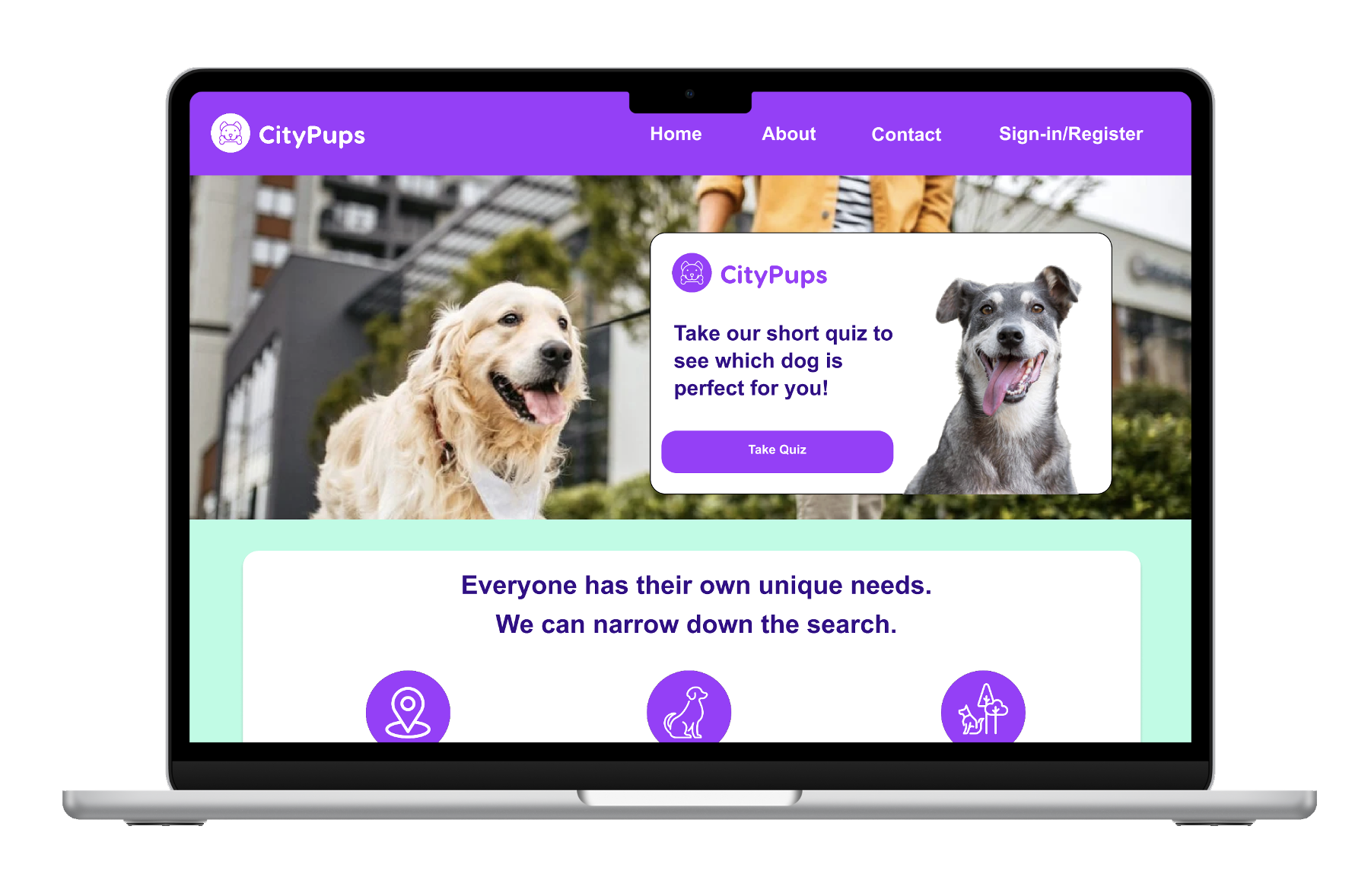
A prototype was developed utilizing Figma. The color purple and lime green were chosen as they helped represent a friendly personality which was deemed appropriate for a dog-adoption service website. Different pictures were chosen to help show dogs that were happy to give the website a happy and friendly personality that would appeal to users.
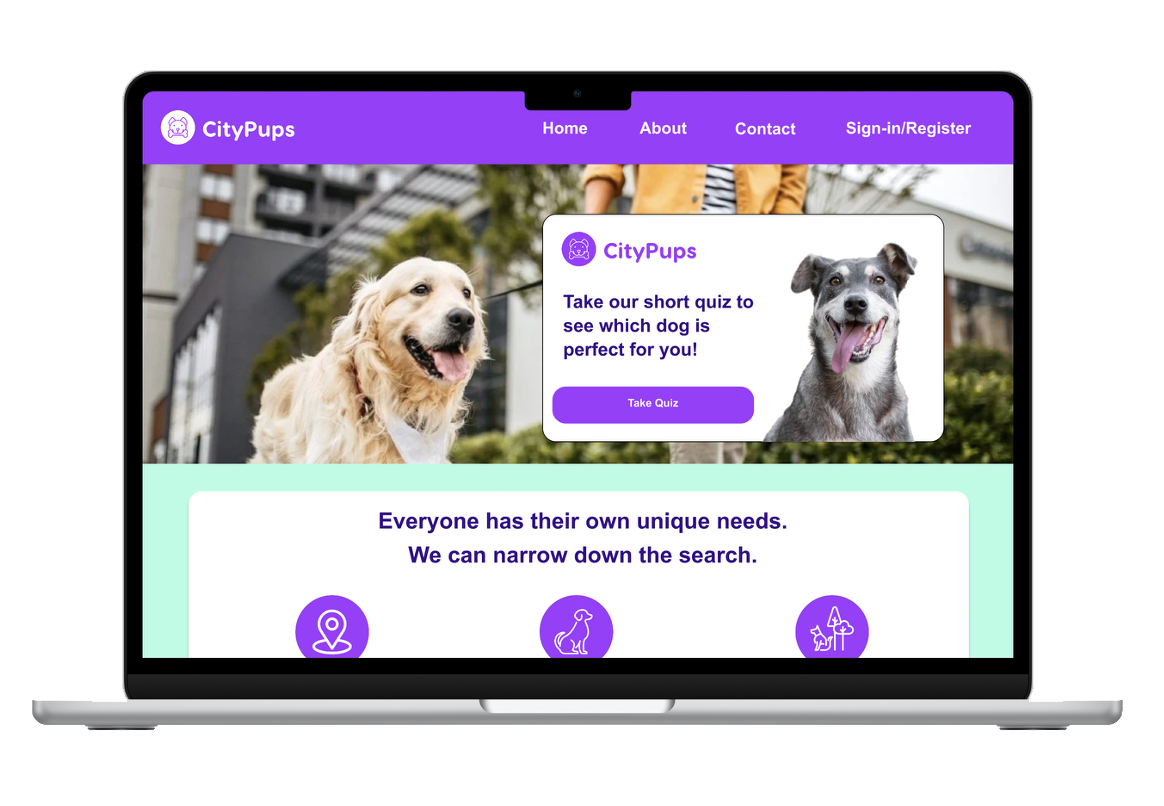
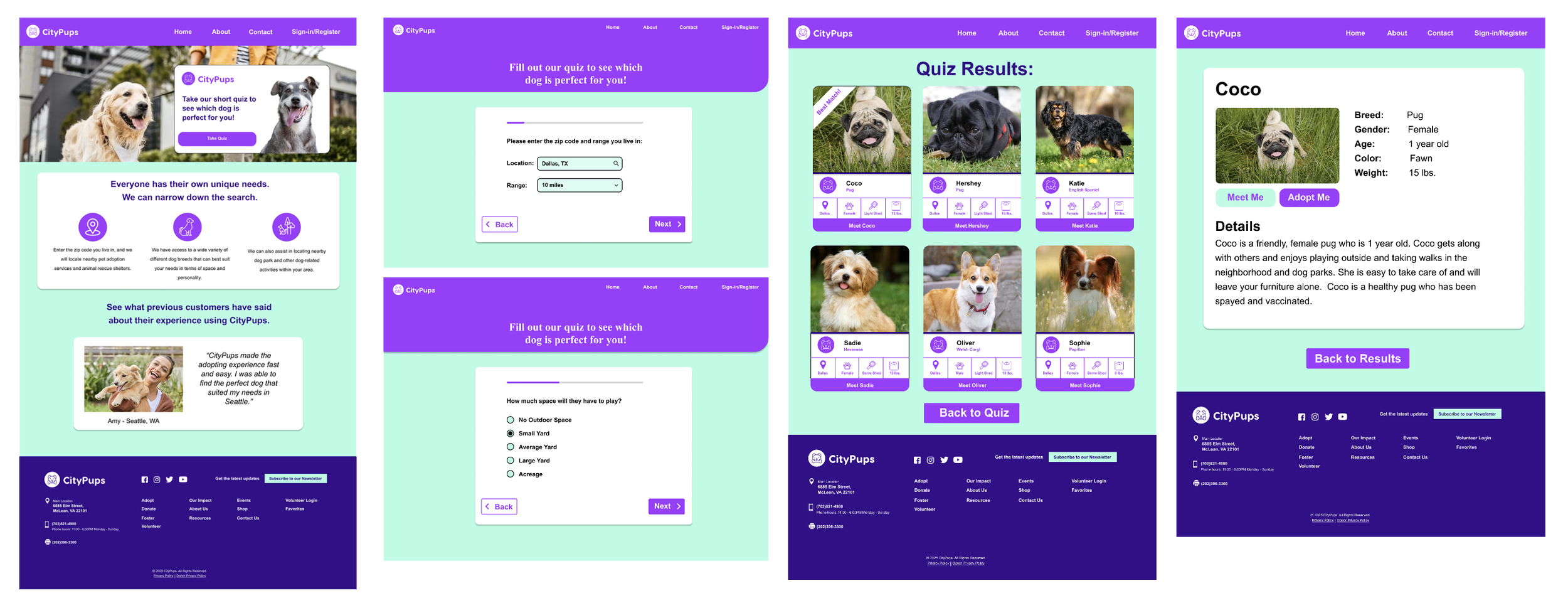
These are screenshots taken from the prototype. The homepage is designed to have a friendly and welcoming personality. Once the user begins the quiz, it shows the progress that the user is making in the quiz. The quiz is meant to be quick and easy. Then the user is taken to the results, and an example is included with more details on which dog is the best match for the user.
Day 5: Validate
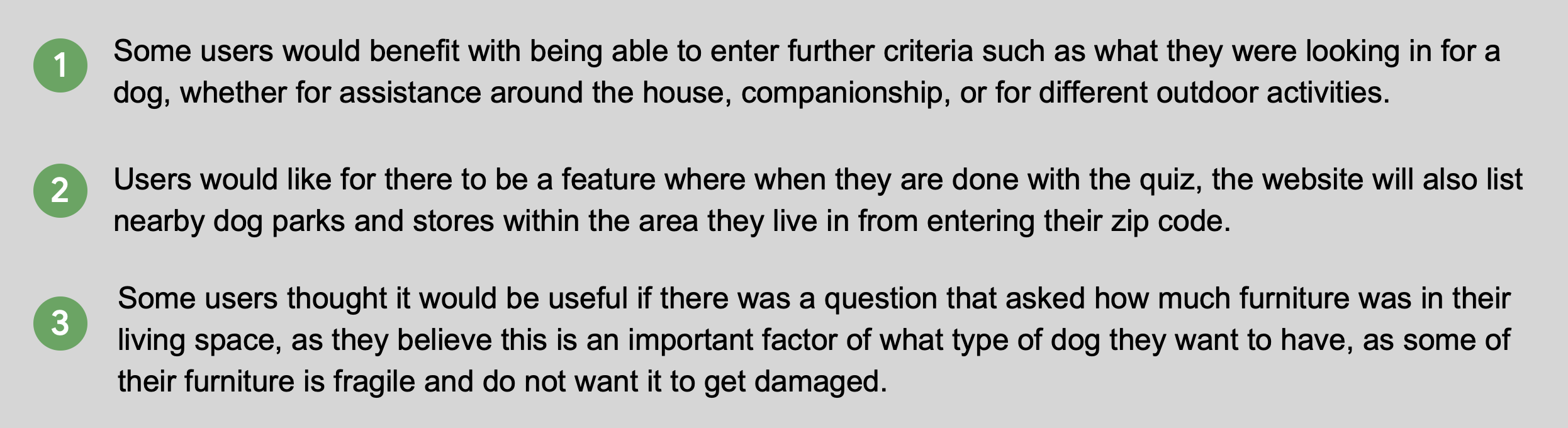
Usability tests were conducted to help validate the designs. The participants were in the age range of 30 to 70 years old, and they all lived in a city, and were, or at one time, dog owners. Within the age range of 30 to 70, the reasons some of the interviewees needed dogs were different, as some needed assistance around the house while others wanted a dog more for companionship and to use for outdoor activities such as walking. The interviewees enjoyed using the desktop prototype. They thought it was easy and straightforward to use. The liked the use of the colors chosen and the imagery of the dogs and they thought the quiz was easy to use. They also appreciated the fact that there were not too many questions.
Usability Findings:
Accessibility Considerations
Takeaways
Impact:
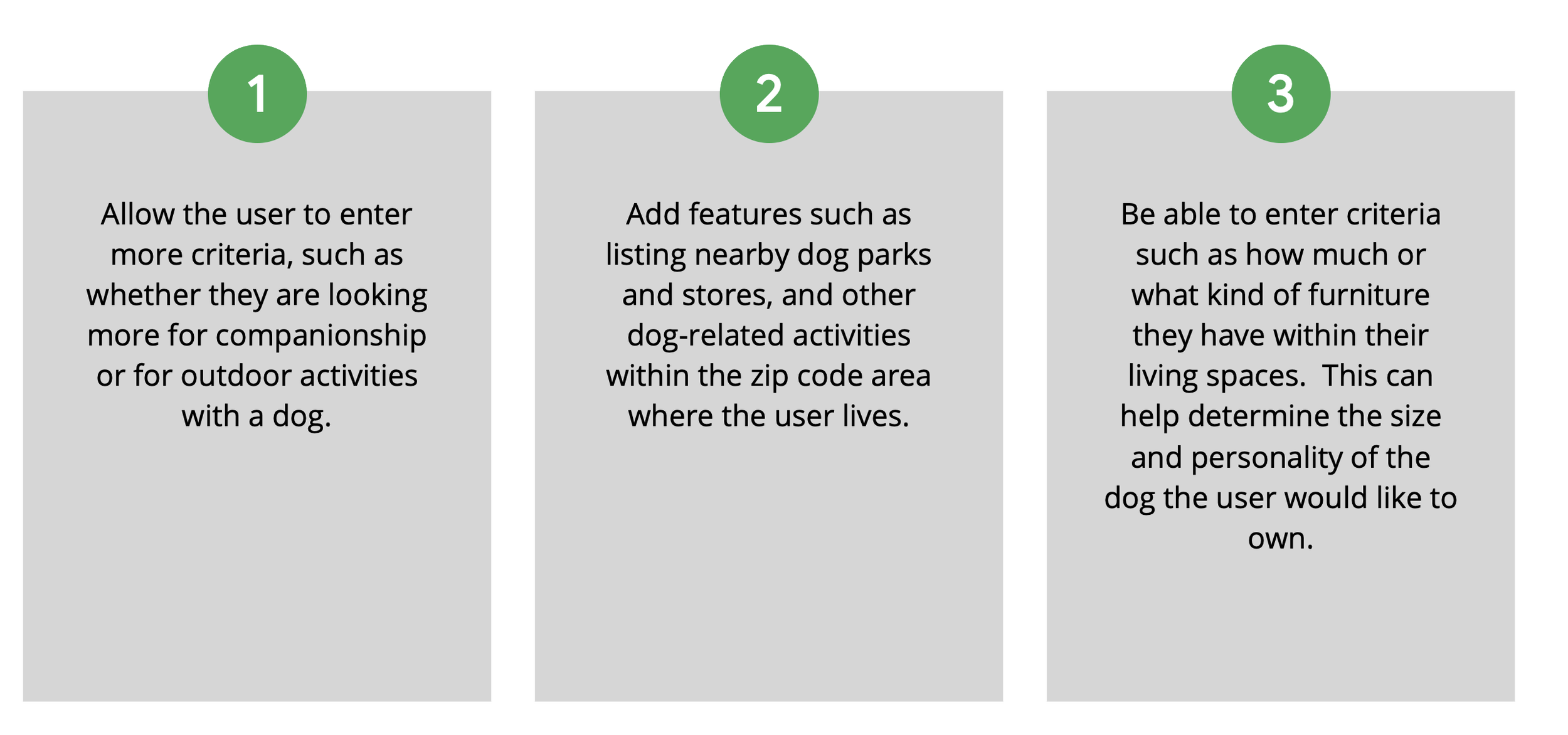
Users enjoyed the website with it’s straightforward approach and short and easy quiz. They liked how the website was given personality with the images of dogs portrayed and the choice of colors for the website. There is still room for improvement with users being able to enter further criteria such as dog-related activities in their city and more information about their own living spaces.
What I learned:
This process has given me a greater insight into how design sprints work. It has shown me how they are fast-paced and make you think fast when under pressure. It has also given me further insight into how important user testing is and how others’ perspectives can add to a design and make the overall experience of a desktop website or smartphone app better and more user-friendly.