Project Overview
The Product:
TiriVelo Pet Services Inc. is a pet servicing company that is passionate about fostering joyful and trusting relationships between pets and their owners. Their mission is to provide reliable, personalized, and compassionate pet care services that meet the diverse needs of today’s pet-loving community.
Project Duration:
November-December 2025
The problem:
TiriVelo, Inc. is in need of a provider process user flow design on their website. They need to have an effective and easy flow for users to follow when they want to become a provider on the website.
My role:
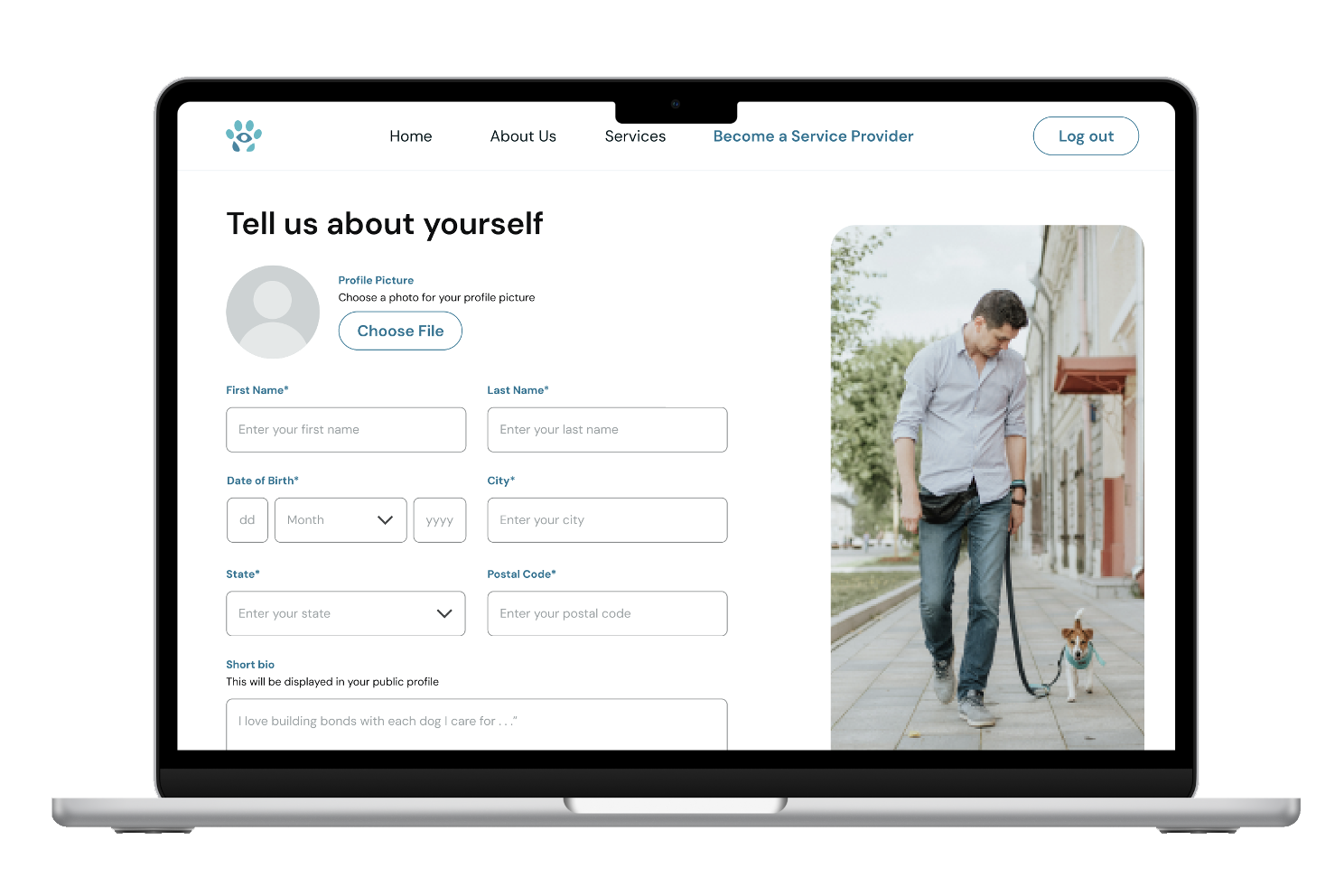
UX Designer, designing the “services” section of the provider setup process, from research to conception, to designing and testing prototypes. I was in a team of four members, including myself, and I was tasked with designing the screens for the “services” section, where users will select whether they provide services for dogs, cats, or other types of pets.
The goal:
Design a pet provider process user flow so providers can sign up and become a pet provider if they wish, and have an easy process to follow to register as a pet provider. They need to be able to select the different types of pets they provide services for, and be able to track all of their bookings and their schedule for the bookings.
Responsibilities:
User research, designing high-fidelity prototypes, and conducting tests to receive feedback on the design usability and experience.

Original designs
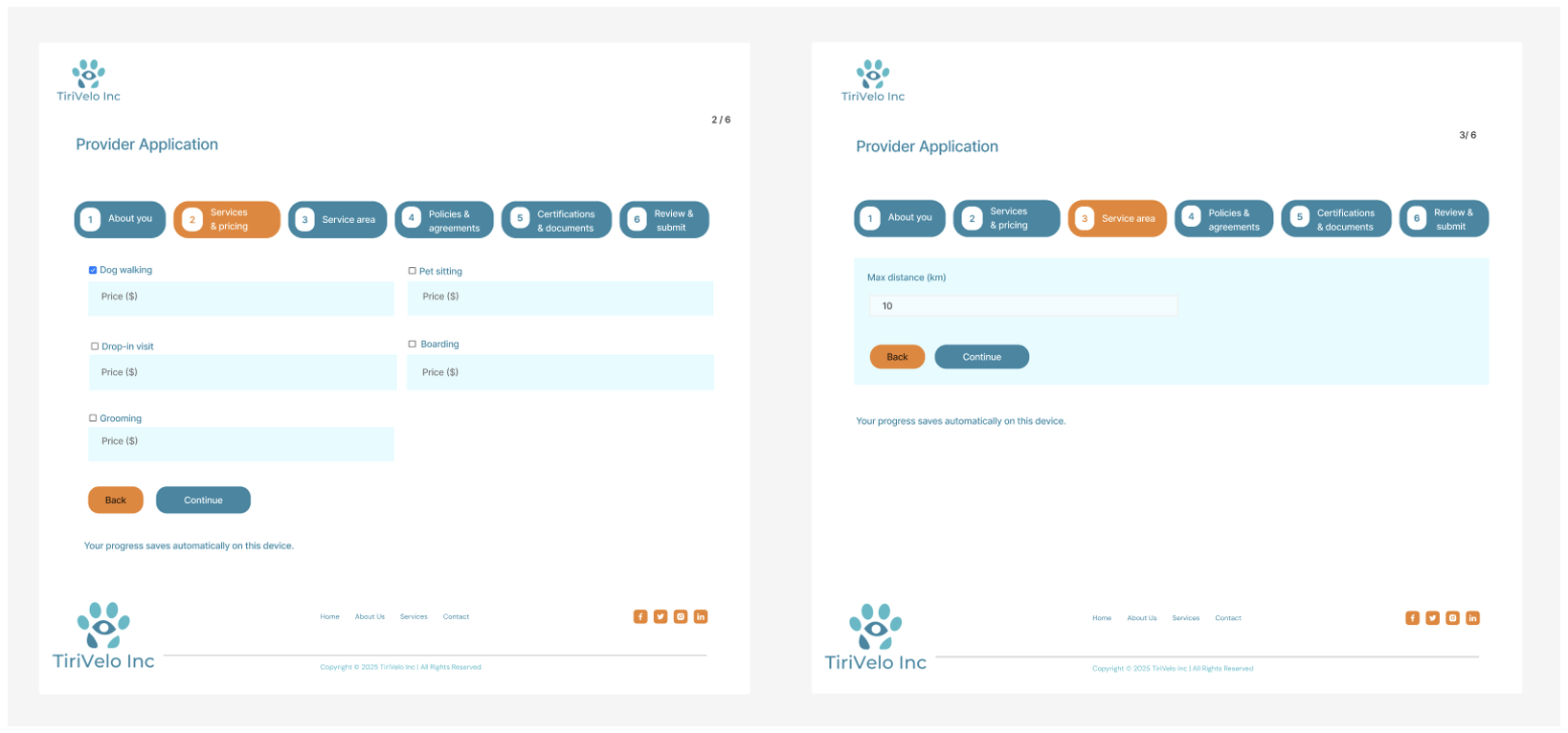
These were the original designs we were given that we needed to enhance, given the design system with a different color palette, typography, and an image library. We were tasked with creating screens that aligned with the color palette but also designs that had a friendly and welcoming personality for the user when they visit the website and register to become a provider.
Different iterations (first design)

These screens are the first screens that I designed after I was given the previous screens that TiriVelo was working with. Based on the new color palette and image library, I tried to replicate the earlier screens to align with the new design system. However, it was later decided that the company wanted to condense this process by the “Pricing & Distance” section not having its own page.
Different iterations (second design)
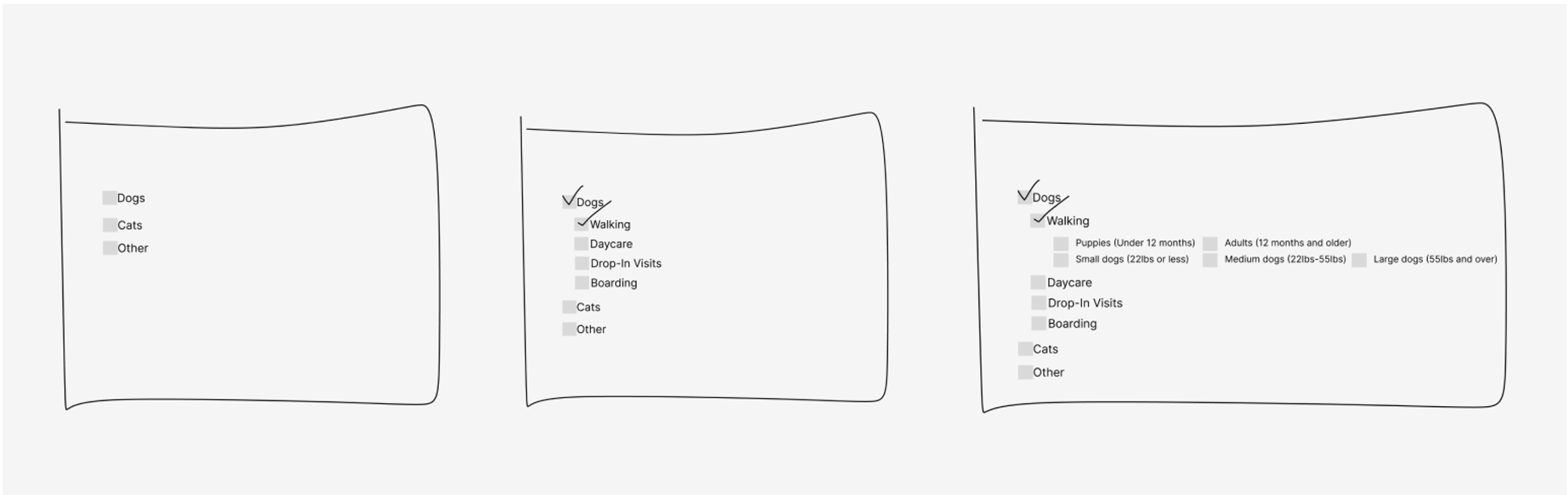
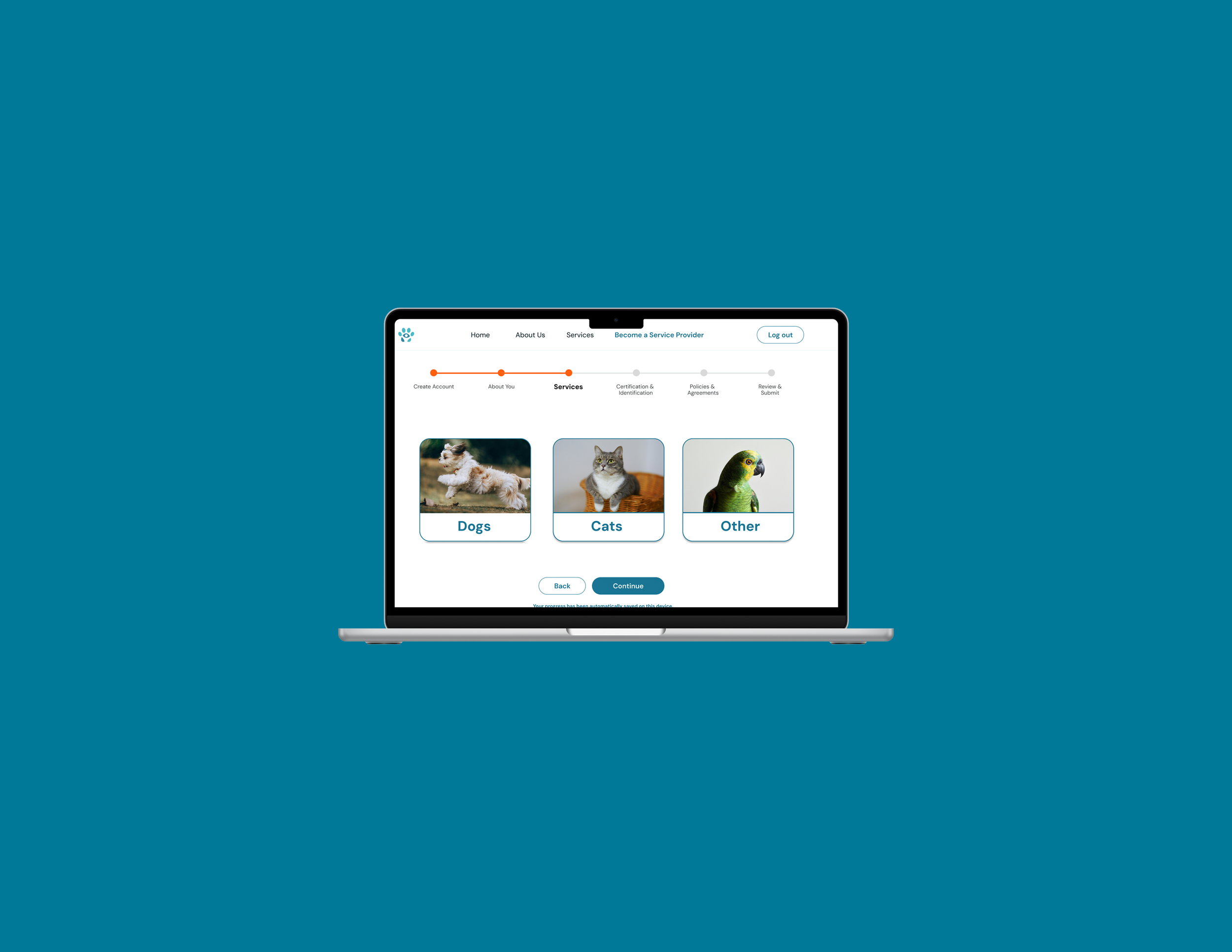
This is a rough design of what the company and the Springboard team decided to use for the process for the “services” section. The user will have the option to choose from either “dogs”, ”cats”, or “other”, and then be able to decide within each section which services to choose such as the “dogs” having the option for walking, daycare, drop-in visits, etc.
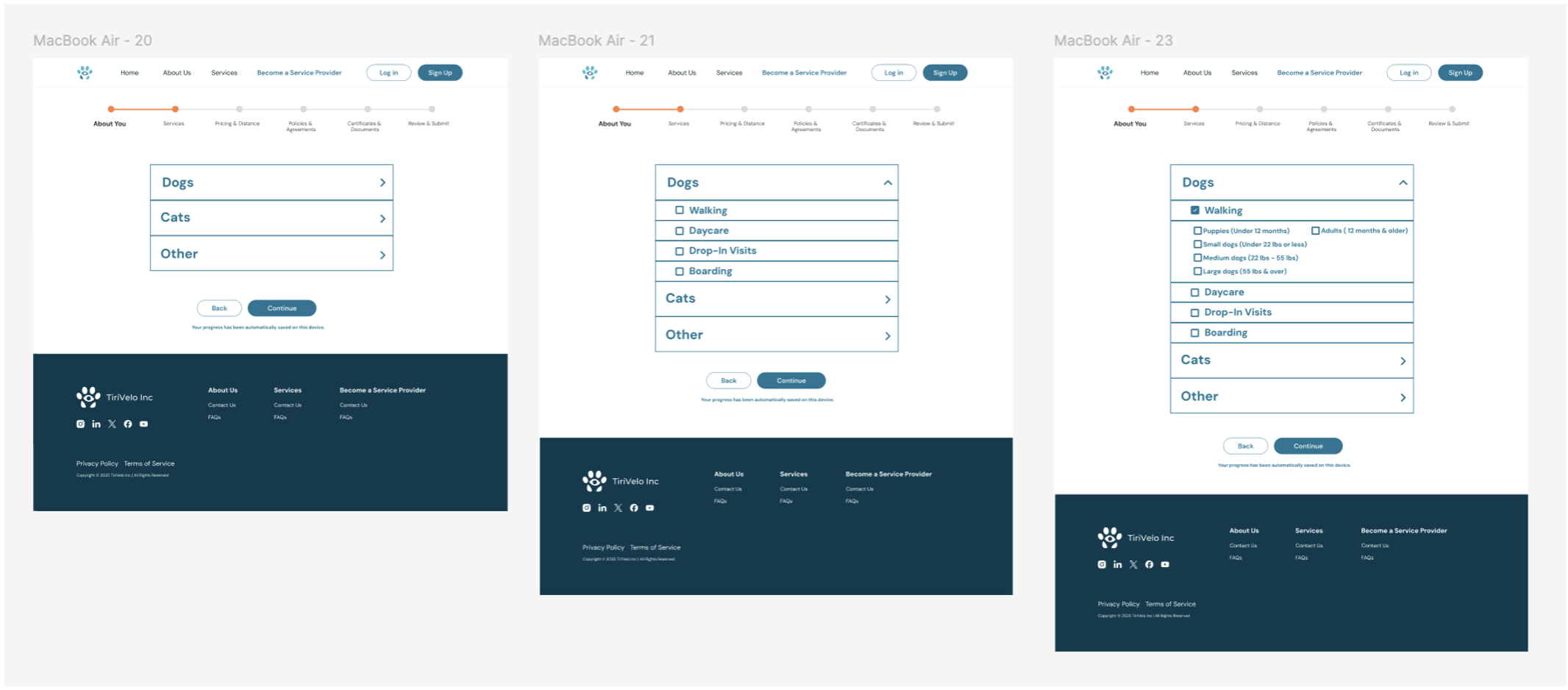
This is the second iteration of my designs for this specific section. I tried to see if a drop-down table/menu would work, as I wanted something that was organized and easy to follow but also visually pleasing. After designing this drop-down table, I felt like it was too plain and simple, and the elements from the image gallery could be used to more closely align to the new design system.
Different iterations (third design)
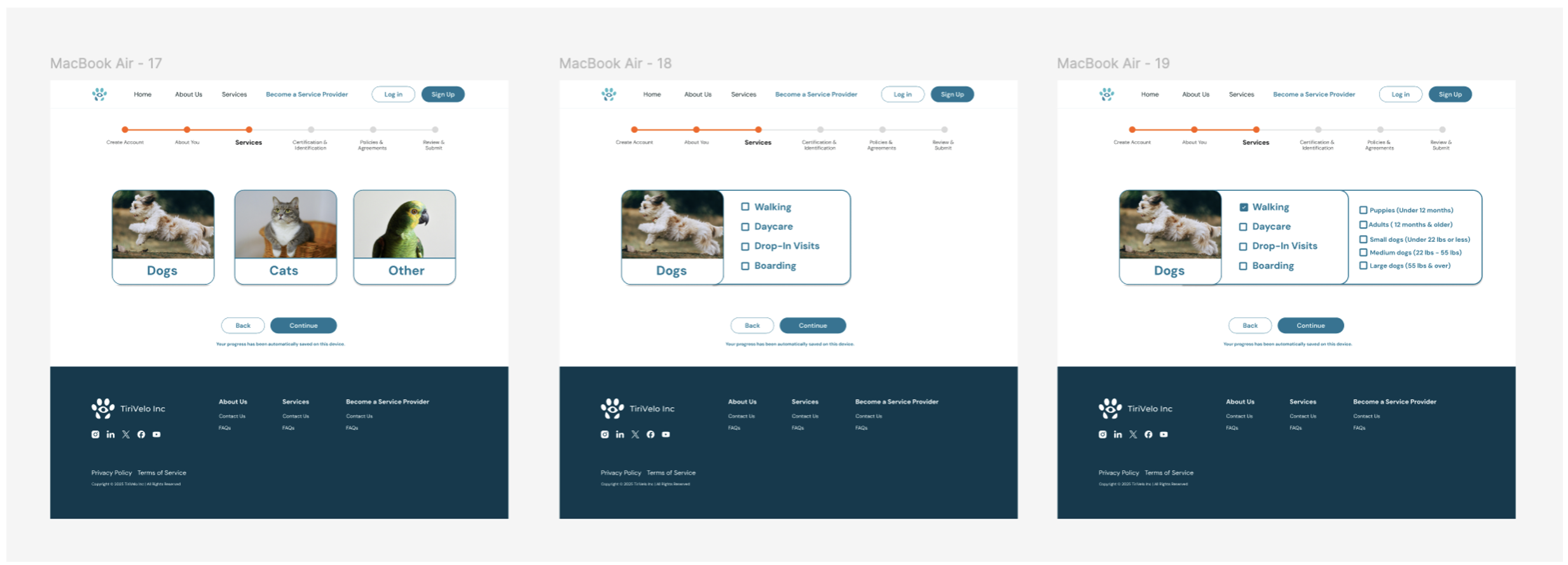
This is the third design for the “services” section of this process. I used images from the new image gallery and created cards when the user visits this screen. I believe it is more visually pleasing and gives the design more personality. When the user selects one option, such as “dogs” in this example, the following options pop-up for them to select such as walking dogs, daycare, etc.
Final Screens
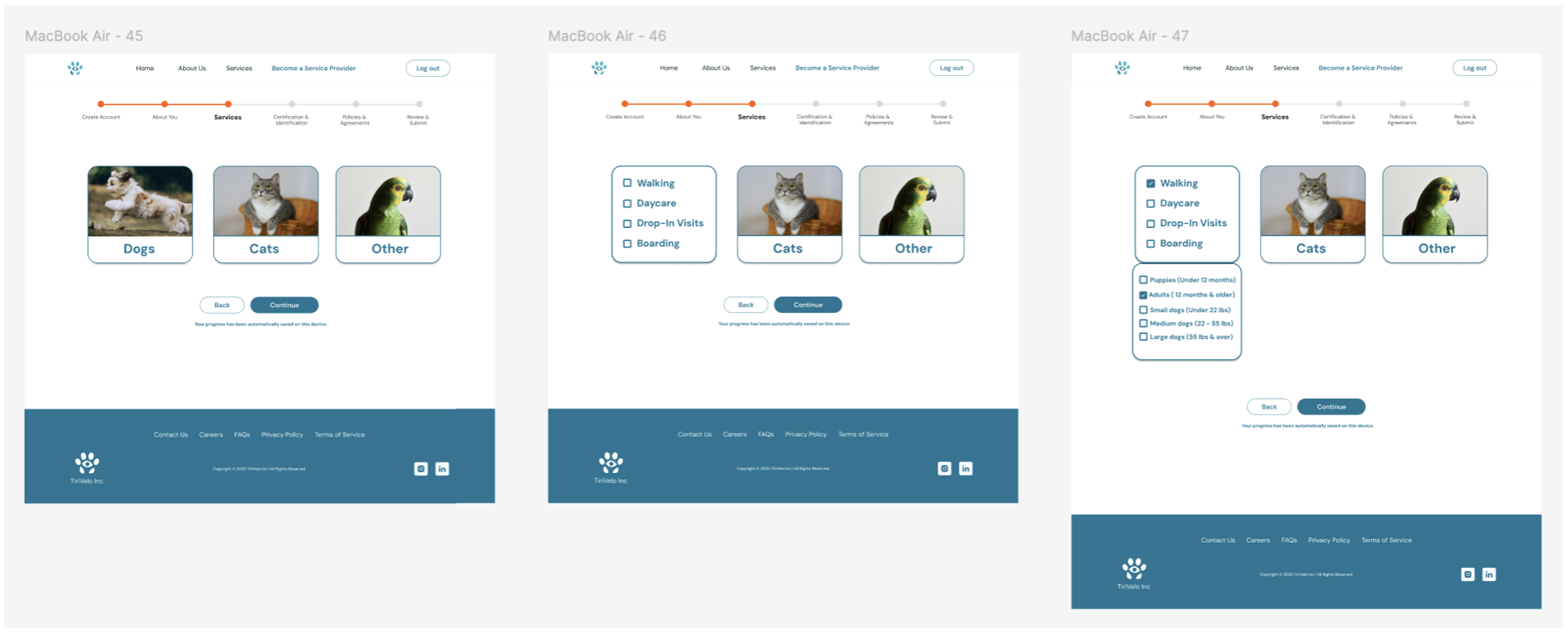
These are the final screens that were designed for the ”services” section in the pet provider process. It was decided that this was a better and more efficient flow, because in the previous iteration, the pop-up options would cover up the other choices for pets such as “cats” and “other”, which would not give a provider the option if they provide services for both dogs, cats, and other types of pets. This way, the user can select the different options if they provide services for both dogs, cats, and other pets.
The pet provider prototype for TiriVelo, Inc. can be viewed here.
Usability Testing
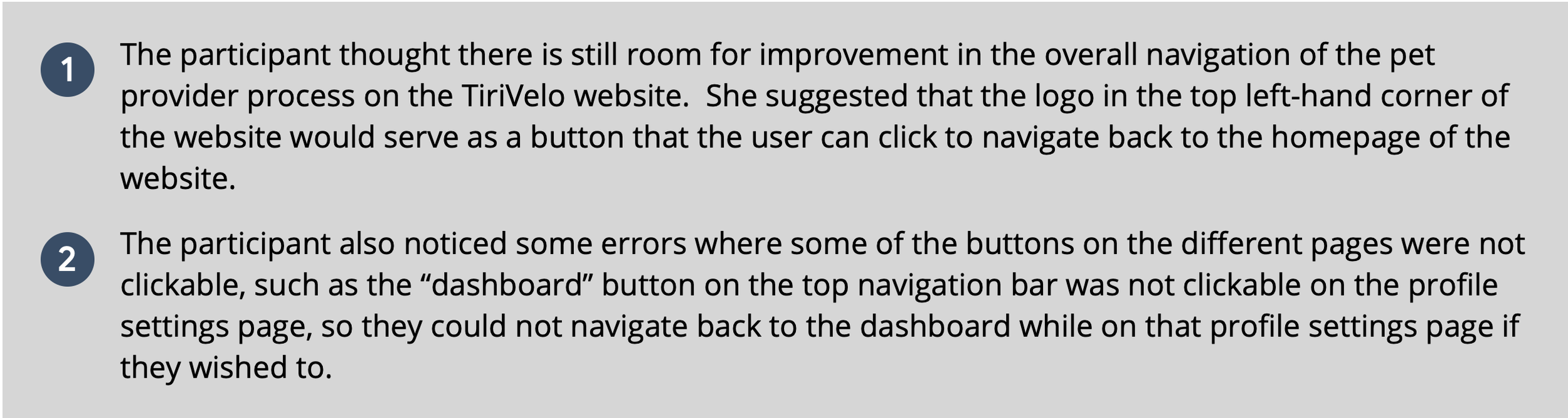
After completing the high-fidelity designs, I conducted a usability test with the pet provider prototype. The participant had been a dog owner and lives in Austin, TX and believes that pet service providers could benefit from a business like TiriVelo as Austin is a pet-friendly city with a lot of pet-friendly activities. The participant enjoyed the prototype as she found it straightforward, easy to use, and thought the overall design had a nice aesthetic with an effective use of hierarchy. The participant also thought the color choices and imagery were effective as it gave the website a friendly personality which would be helpful for a business like TiriVelo, Inc.
Usability Test Findings:

Takeaways
Impact:
Working with a company and creating a new design system can benefit both the designer and the company, as you can take previous iterations and see how you can expand those designs with a different color palette and image gallery.
Next Steps
What I learned:
This process has given me greater insight into what it is like being part of a UX team, where you are assigned one portion of an entire project and how you can contribute to the overall design while staying consistent with your team members’ designs. Working for a real company has also given me greater respect for the UX process and how you need to follow their guidelines and try to align your designs with the company’s goals.